A new GonkaRouter account receives $20 in AI API credit after registration, which can provide a substantial controlled test budget for Kimi-K2.6, but the exact number of usable tokens depends on the live model rate and token accounting.
At GonkaRouter's displayed reference rate of $0.0012 per 1 million tokens, the calculation is:
$20÷$0.0012×1,000,000=16,666,666,666.67\$20 \div \$0.0012 \times 1{,}000{,}000 = 16{,}666{,}666{,}666.67 $20÷$0.0012×1,000,000=16,666,666,666.67
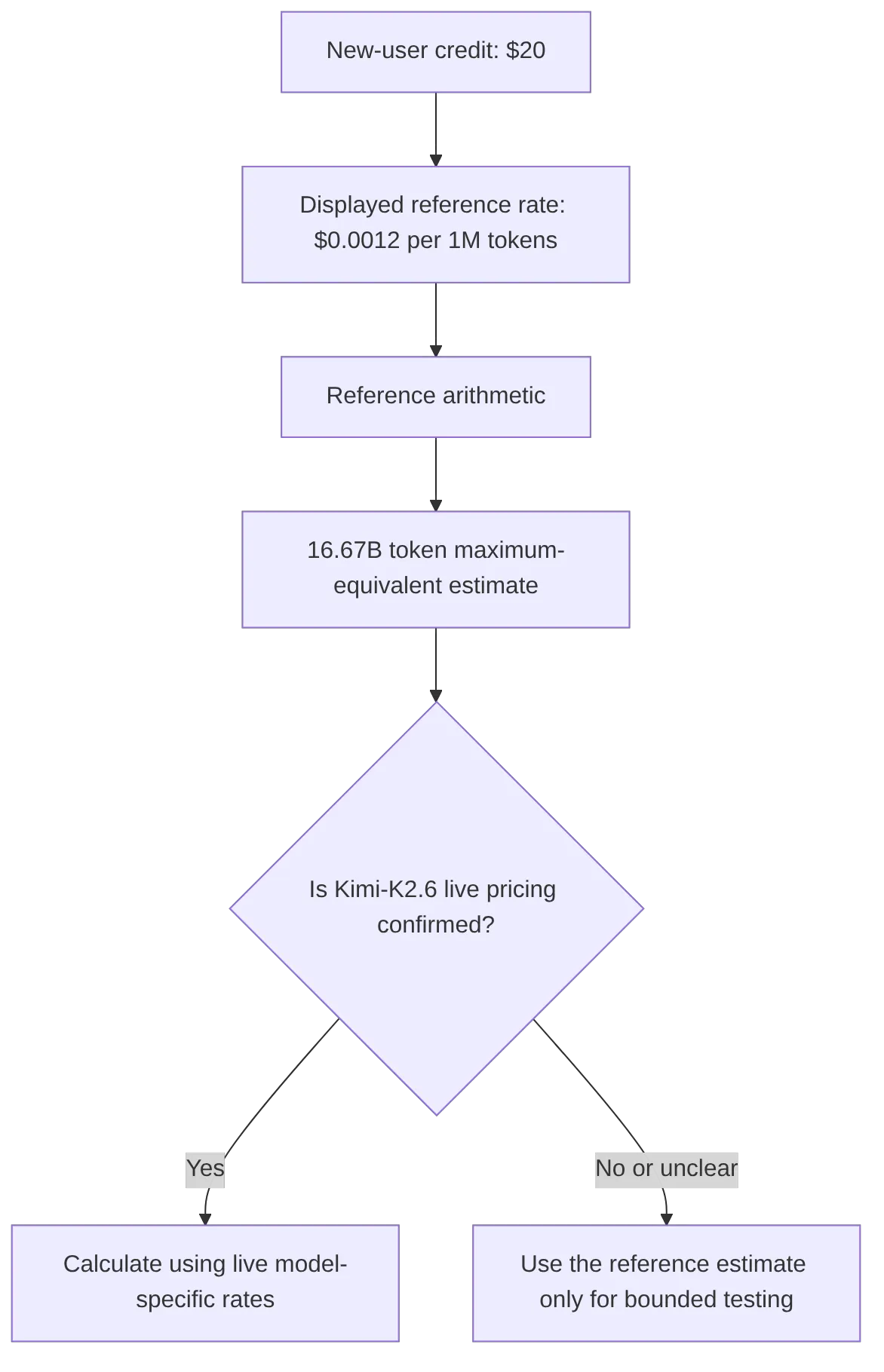
That is approximately 16.67 billion tokens. Put another way, the credit represents up to 16.7 billion tokens only as a maximum-equivalent estimate at the displayed reference rate. It is not a confirmed Kimi-K2.6 allocation, and it is not a guaranteed token amount for every listed model.
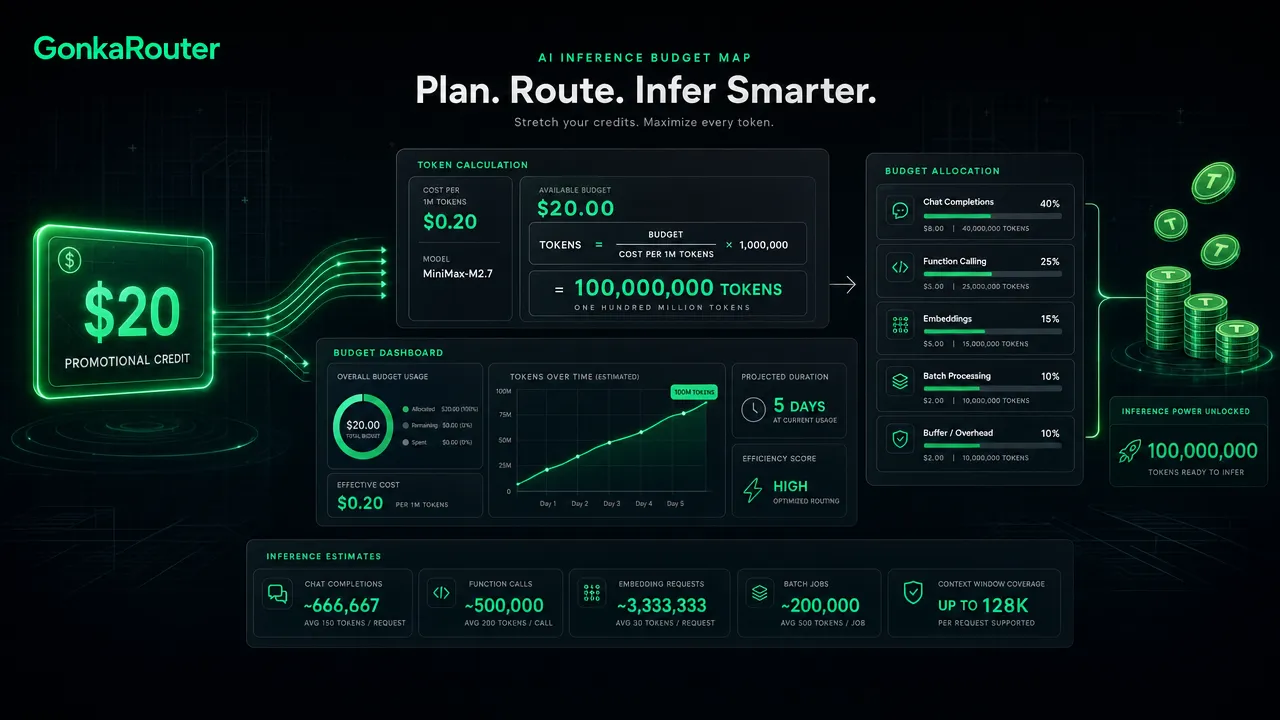
How free AI inference credit turns $20 into a reference-rate token budget
The arithmetic is straightforward, but the interpretation matters.
Input | Value |
|---|---|
New-user credit | $20 |
Displayed reference price | $0.0012 per 1 million tokens |
Calculation | $20 divided by $0.0012, multiplied by 1 million |
Reference-rate result | About 16.67 billion tokens |
The calculation is useful for setting an upper-bound reference point:
Token equivalent=CreditReference rate×1,000,000\text{Token equivalent} = \frac{\text{Credit}}{\text{Reference rate}} \times 1{,}000{,}000 Token equivalent=Reference rateCredit×1,000,000
However, the displayed reference price should not be treated as Kimi-K2.6's confirmed model-specific price unless the live listing explicitly shows that rate. Before committing a meaningful workload, check GonkaRouter's live pricing and confirm the current Kimi-K2.6 listing.
Free AI inference in this context means promotional API credit that can support testing. It does not mean unlimited usage, permanent no-cost access, or a fixed token allocation across every model.
GonkaRouter currently lists DeepSeek-V4-Flash-0731, Kimi-K2.6, and MiniMax-M2.7. Model availability, model rates, and accounting rules can change, so treat this as a current planning baseline rather than a production commitment.
Why free AI inference estimates must use Kimi-K2.6 live pricing
A credit-to-token calculation is only reliable when it uses the selected model's live billing rules. Kimi-K2.6 may have different pricing from a displayed reference rate, and providers can account for different token categories separately.
Check these items before turning the $20 credit into a budget forecast:
Verification item | Why it changes the budget |
|---|---|
Kimi-K2.6 input rate | Large prompts, conversation history, and retrieved context can raise input usage. |
Kimi-K2.6 output rate | Longer responses can increase cost even when prompts are short. |
Input versus output pricing | Some pricing models use different rates for each direction. |
Cached-token treatment, if documented | Cached usage may have separate accounting. |
Credit eligibility and expiration | Promotional credit terms affect the available test window. |
Retry and failed-request accounting | Retries can change real consumption during integration. |
Rate limits and restrictions | These affect workload design, even when credit remains available. |
The safe planning formula after live pricing is confirmed is:
Estimated cost per request=(Input tokens×Input rate)+(Output tokens×Output rate)\text{Estimated cost per request} = (\text{Input tokens} \times \text{Input rate}) + (\text{Output tokens} \times \text{Output rate}) Estimated cost per request=(Input tokens×Input rate)+(Output tokens×Output rate)
Then calculate expected request volume:
Estimated requests=Available creditEstimated cost per request\text{Estimated requests} = \frac{\text{Available credit}}{\text{Estimated cost per request}} Estimated requests=Estimated cost per requestAvailable credit
Do not assume input and output pricing are identical. Do not assume cache pricing applies. Do not assume the reference rate applies to Kimi-K2.6. Instead, use the live values published on the pricing page, model listing, and developer documentation.
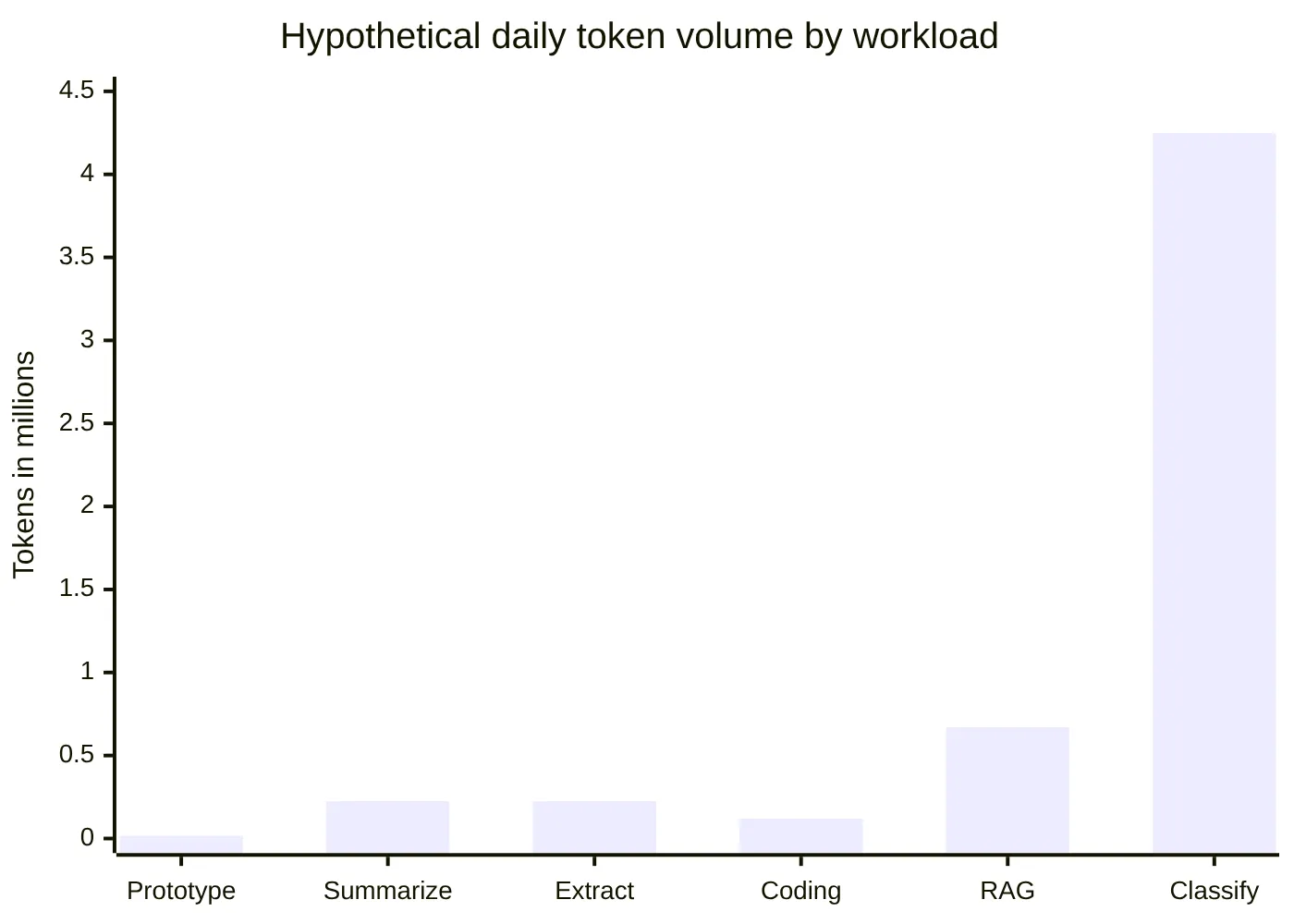
Free AI inference workload scenarios for budget planning
The following scenarios are hypothetical workload worksheets. They do not describe verified Kimi-K2.6 performance, output quality, context capacity, latency, throughput, or request limits.
They do show why measured token usage matters more than a single headline price.
Hypothetical workload | Input tokens per request | Output tokens per request | Requests per day | Estimated daily tokens |
|---|---|---|---|---|
Lightweight prototyping | 500 | 300 | 20 | 16,000 |
Internal summarization | 4,000 | 500 | 50 | 225,000 |
Structured extraction | 2,000 | 250 | 100 | 225,000 |
Coding experiments | 3,000 | 1,000 | 30 | 120,000 |
RAG answer generation | 6,000 | 700 | 100 | 670,000 |
Batch classification | 800 | 50 | 5,000 | 4.25 million |
For example, a batch classification job with 800 input tokens and 50 output tokens per request would use:
850×5,000=4,250,000 tokens per day850 \times 5{,}000 = 4{,}250{,}000 \text{ tokens per day} 850×5,000=4,250,000 tokens per day
That number is a token-volume estimate, not a dollar forecast. To translate it into spend, you still need Kimi-K2.6's live input and output rates.
Prototype estimates often diverge from production usage for predictable reasons:
Conversation history grows with each turn.
Retrieval augmented generation adds document chunks to prompts.
Output length varies across users and tasks.
Retries and error handling add requests.
Agent-like workflows can make several model calls for one user action.
A model price may change between testing and deployment.
A useful approach is to reserve part of the credit for debugging and part for a representative test set. Avoid spending the entire balance on a single happy-path prompt.
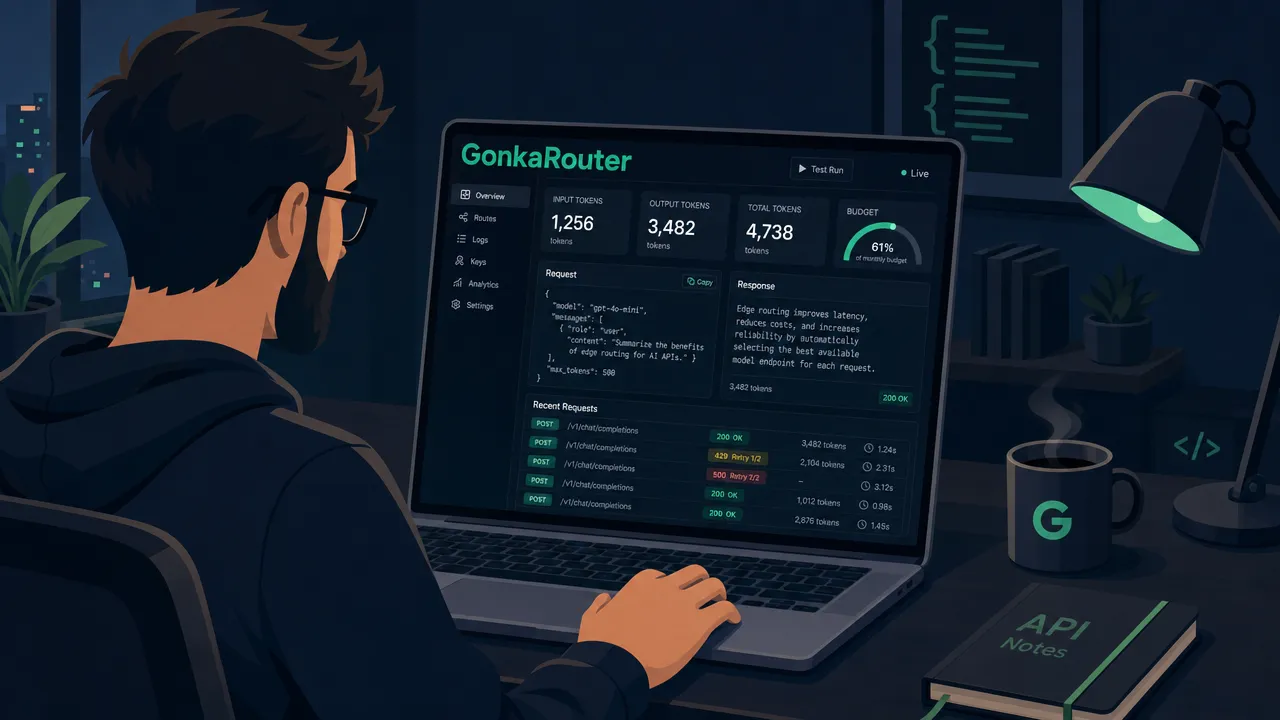
How to run a controlled free AI inference test with Kimi-K2.6
A small measured request is more useful than a large unmeasured experiment. GonkaRouter documents an OpenAI-compatible API endpoint at https://api.gonkarouter.io/v1, but developers should verify the current model ID, authentication method, supported request fields, and response schema before implementation.
Use this practical sequence:
Create an account and confirm the current $20 credit terms.
Check the live Kimi-K2.6 model entry and its current price.
Read the current API documentation.
Configure the documented OpenAI-compatible endpoint.
Send one small, non-sensitive request.
Record the selected model ID, prompt size, output size, response status, and retry count.
Log returned usage or cost metadata if the response provides it.
Repeat with short, typical, long, and malformed test prompts.
Set an internal test cap before increasing request volume.
OpenAI-compatible means the service may support OpenAI-style integration conventions. It does not automatically mean full compatibility with every endpoint, parameter, streaming event, error type, or usage field. Verify actual GonkaRouter behavior before relying on any integration assumption.
A minimal logging sheet can make the $20 credit much more informative:
Field to record | Budget-control purpose |
|---|---|
Timestamp | Tracks usage patterns over time. |
Environment | Separates local testing from staging or production. |
Model ID | Applies the correct model-specific pricing. |
Input tokens, if returned | Identifies prompt and retrieval growth. |
Output tokens, if returned | Identifies long-generation costs. |
Request status | Separates completed and failed calls. |
Retry count | Shows avoidable repeat consumption. |
Returned cost, if available | Supports reconciliation against current pricing. |
Keep API keys in server-side secret storage rather than browser code or source control. Also review GonkaRouter's data-handling terms before sending sensitive material to any inference API.
For additional context on a unified endpoint approach, see GonkaRouter's guide to one OpenAI-compatible API endpoint for multiple AI models.
Free AI inference model selection and budget-control checklist
The credit is most valuable when it answers a real implementation question: does this model, at its current rate and measured usage, fit the workload?
Check | Decision it supports |
|---|---|
Is Kimi-K2.6 currently listed? | Confirms current availability. |
Is the live Kimi-K2.6 price visible? | Enables model-specific cost calculations. |
Are input and output rates documented? | Enables realistic per-request estimates. |
Does the test response provide usage data? | Enables measurement instead of guesswork. |
Does a representative prompt set fit the internal test cap? | Supports controlled expansion. |
Have retries and long prompts been included? | Reduces underestimated usage. |
Have terms been rechecked before scaling? | Accounts for changing rates and conditions. |
This is a better decision process than treating the reference-rate calculation as a forecast. The $20 credit can establish a baseline for real prompts, real outputs, and real integration behavior.
For broader model-router evaluation guidance, GonkaRouter's article on choosing AI models for faster work offers a useful task-first framework. The important point is to measure task completion, token use, and operational behavior rather than relying on a model name alone.
Free AI inference FAQs for Kimi-K2.6 budget planning
Is Kimi-K2.6 confirmed to cost $0.0012 per 1 million tokens?
No. The $0.0012 figure is a displayed reference rate supplied for this campaign. It should not be presented as confirmed Kimi-K2.6 pricing unless the live models page or pricing page explicitly confirms it.
How is the 16.67-billion-token estimate calculated?
The calculation is $20 divided by $0.0012, multiplied by 1 million tokens. The result is 16,666,666,666.67 tokens, or about 16.67 billion tokens. This is a maximum-equivalent estimate at the displayed reference rate, not a confirmed Kimi-K2.6 allocation.
Does the $20 credit guarantee the same token amount for every model?
No. Actual token usage, model-specific rates, and token accounting may vary by model and may change. Verify the selected model's live price before planning workload volume.
What should developers measure in a first API test?
Record the model ID, prompt size, generated output size, status outcome, retries, and returned usage or cost details if available. Repeat the test with representative prompts before estimating a meaningful workload.
Does OpenAI compatibility guarantee identical API behavior?
No. OpenAI compatibility indicates an integration style, not guaranteed parity for all endpoints, parameters, streaming behavior, errors, or response fields. Check the official GonkaRouter documentation before deploying.
The practical value of free AI inference is not a promise of a fixed Kimi-K2.6 token total. It is the opportunity to measure a real workload before committing budget. Create a GonkaRouter account, claim the $20 credit, confirm the live Kimi-K2.6 rate, and run a small test request.