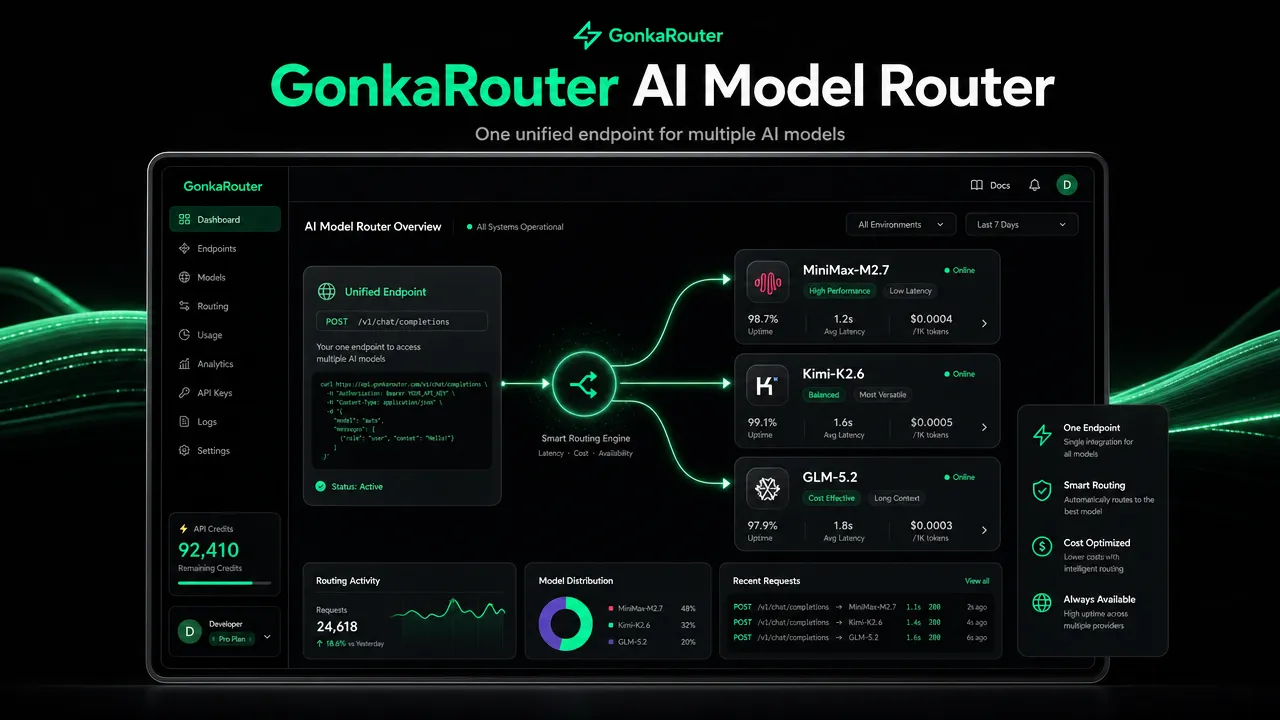
GonkaRouter helps developers get ai into applications faster by turning model access into one focused, OpenAI- and Anthropic-compatible API for MiniMax-M2.7, Kimi-K2.6, and GLM-5.2.
Most people use the phrase "get ai" to mean instant access to a chatbot, writing assistant, coding helper, or automation tool. For developers, product teams, AI agent builders, and Web3 teams, the practical version is different: get ai through an API that can be connected to real applications, monitored, tested, and scaled without maintaining separate integrations for every supported model.
GonkaRouter is built for that workflow. It is an AI Model Router and AI Gateway that gives developers one unified API for its currently supported models, with OpenAI-compatible and Anthropic-compatible API formats, email-based login, token pricing as low as $0.0004 / 1M tokens, and a one-time 20 USDT trial credit after email login.
How to get ai through an API instead of another isolated tool
Getting AI as a consumer usually means opening a web app and typing a prompt. Getting AI as a developer means connecting model inference to a product workflow.
That workflow might be:
Product need | Developer version of "get ai" | Example API use |
|---|---|---|
AI chat | Add a chatbot backend | Send user messages to a model through an AI Inference API |
AI agents | Add reasoning steps to an agent | Route planning, summarization, and tool-output prompts |
Content generation | Add drafting or rewriting | Generate product copy, summaries, or structured text |
Code generation | Add coding assistance | Generate, explain, or transform code snippets |
Intelligent Q&A | Add answer generation | Connect retrieval results to a model response |
Data analysis | Add interpretation | Summarize datasets, reports, or internal notes |
The difference is control. A consumer app gives a user interface. An AI Inference API gives your application a programmable layer for model calls.
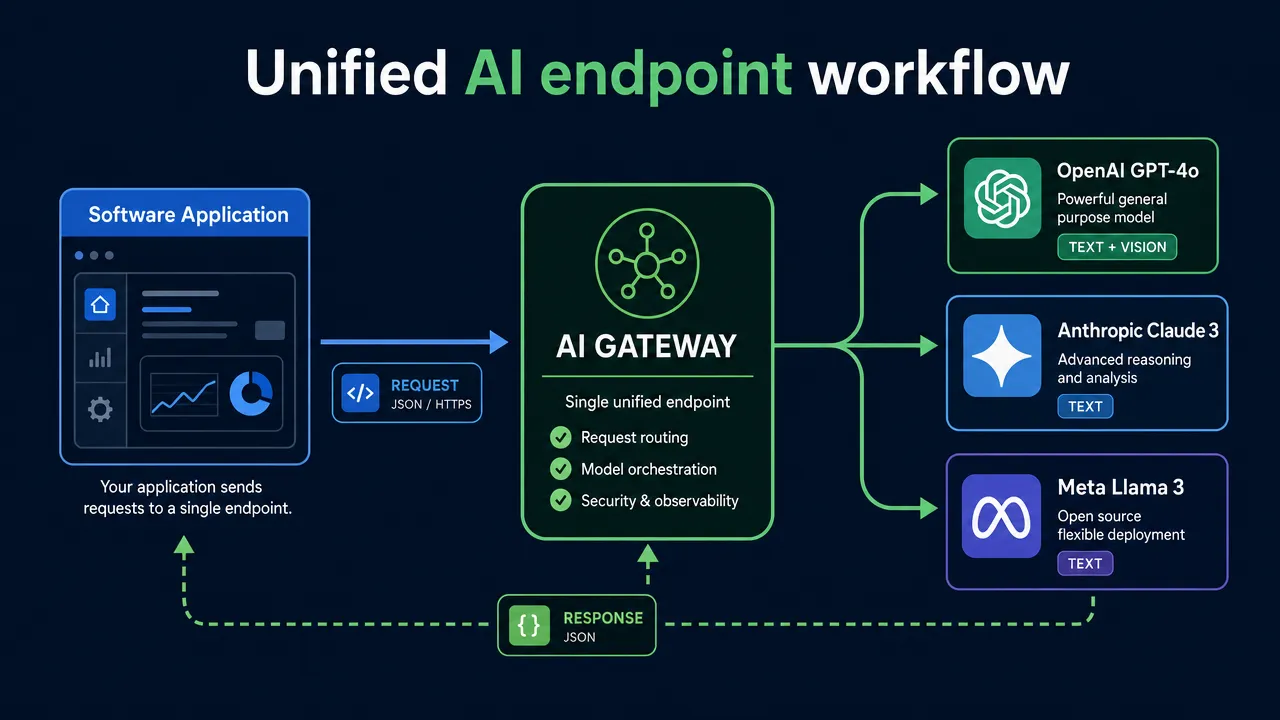
This is where an AI Model Router becomes useful. Instead of connecting separately to every model endpoint your team wants to test, the router sits between your application and supported models. External explainers describe model routing as a way to select suitable models based on criteria such as task type, cost, latency, or availability. For category context, see Inworld's explanation of what an AI router is and Microsoft's documentation on the Azure model router concept.
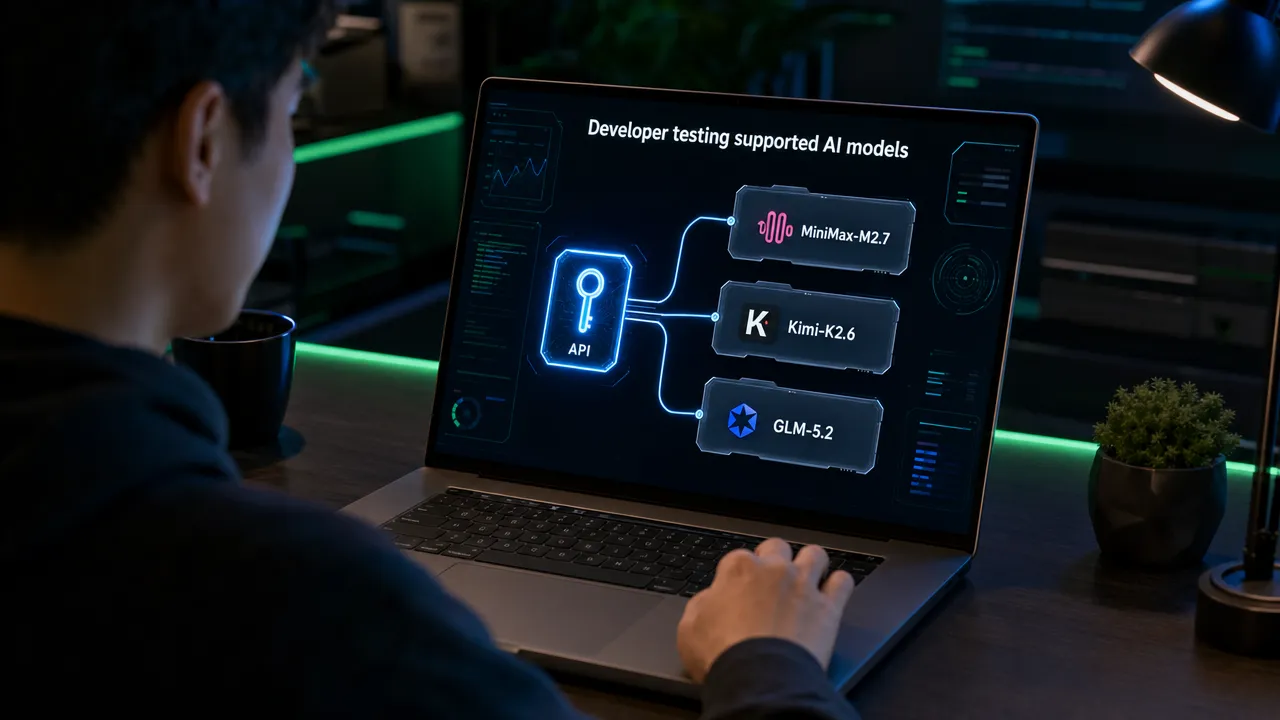
For GonkaRouter, the model list is intentionally specific: MiniMax-M2.7, Kimi-K2.6, and GLM-5.2.
Why get ai access with an AI Model Router
Direct model integration looks simple at first. A developer signs up for a provider, copies a key, calls an endpoint, and ships a prototype. The complexity appears later, when the team wants to test another model, change request formats, handle different error patterns, or compare cost per workflow.
An AI Model Router reduces that friction by giving the application a cleaner integration boundary.

A unified AI endpoint helps developers move faster because the product code can focus on business logic instead of provider-specific integration logic.
Developer pain point | Router-based approach | GonkaRouter fit |
|---|---|---|
Multiple model integrations | Use one API surface | One API for currently supported models |
Migration friction | Keep familiar request patterns where applicable | OpenAI-compatible and Anthropic-compatible API formats |
Slow model testing | Switch supported model choices through one router | Test MiniMax-M2.7, Kimi-K2.6, and GLM-5.2 |
High inference cost pressure | Track usage and select cost-efficient access | Token pricing as low as $0.0004 / 1M tokens |
Slow onboarding | Reduce registration barriers | Email-based login |
Limited first-test budget | Start with usage credit | One-time 20 USDT trial credit after email login |
OpenAI-compatible API patterns are widely used because many SDKs and application templates already follow OpenAI-style request conventions. BentoML provides a helpful technical overview of an OpenAI-compatible API, and OpenAI documents its own API behavior in the OpenAI API reference.
Anthropic-compatible formats matter for teams built around Anthropic-style Messages API workflows. The canonical reference is Anthropic's Messages API documentation.
For GonkaRouter, these phrases mean API format compatibility only. They do not mean GonkaRouter provides official OpenAI models or official Anthropic models.
How to get ai with GonkaRouter in a tutorial workflow
A practical GonkaRouter setup starts with account access, an API key, an endpoint change, and a supported model test. The goal is not to rebuild your application architecture. The goal is to connect your existing AI workflow to a unified AI Model Router where supported.
Use this tutorial flow:
Go to GonkaRouter.
Log in with email.
Receive the one-time 20 USDT trial credit for product testing.
Get your API key.
Change your API Endpoint to GonkaRouter.
Select one of the currently supported models: MiniMax-M2.7, Kimi-K2.6, or GLM-5.2.
Test your agent, chatbot, content, code, Q&A, or data analysis workflow.
Review results and move the integration into your product workflow.
The key migration concept is endpoint-change integration. If your application already uses OpenAI-style or Anthropic-style request patterns, GonkaRouter is designed to reduce the work needed to start testing supported models.

For more GonkaRouter-specific context, the related guide GonkaRouter: One OpenAI-Compatible API Endpoint for Multiple AI Models explains the endpoint-first idea in more detail. You can also browse the GonkaRouter blog for product updates and developer guidance, and review the GonkaRouter privacy policy before sending sensitive or production data.
Here is a simple evaluation checklist before moving from testing to production use:
Step | What to verify | Why it matters |
|---|---|---|
Prompt quality | Does the model follow your instructions? | Determines product usefulness |
Output format | Does it return the structure your app expects? | Critical for agents and automation |
Latency | Is response time acceptable for users? | Affects user experience |
Cost per task | How many tokens does a real workflow use? | Helps estimate usage at scale |
Error handling | How does your app respond to failed calls? | Improves reliability |
Data handling | Is the workflow appropriate for the data being sent? | Supports responsible deployment |
What models help you get ai in GonkaRouter
GonkaRouter currently supports only three models: MiniMax-M2.7, Kimi-K2.6, and GLM-5.2. This focused model set is important. GonkaRouter should be understood as a focused AI Model Router, not a universal model marketplace and not a platform that provides every major model.
Supported model | SEO access term | Good first test |
|---|---|---|
MiniMax-M2.7 | MiniMax-M2.7 API, MiniMax API | Chatbot responses, content generation, interactive app prompts |
Kimi-K2.6 | Kimi-K2.6 API, Kimi API | Agent workflows, document-style Q&A, long-form reasoning tests |
GLM-5.2 | GLM-5.2 API, GLM API | General AI assistant workflows, structured text, internal productivity tasks |
A developer team can benchmark all three through one GonkaRouter integration. That makes it easier to compare output quality, latency, formatting, and cost per completed workflow.

The chart above is an example scorecard structure, not a public performance claim. Teams should run their own tests using real prompts from their product, especially for AI Agents, chatbots, automated workflows, enterprise AI applications, intelligent Q&A, and data analysis.
A strong testing process uses the same prompt set across each supported model:
Test prompt type | What it reveals |
|---|---|
Normal user request | Baseline response quality |
Edge case request | Robustness under unusual input |
Structured output request | JSON, table, or schema reliability |
Long context request | Ability to handle larger instructions |
Agent step request | Tool-use planning or intermediate reasoning fit |
Rewrite request | Style control and instruction following |
This approach helps teams choose the right supported model for the job instead of relying on model names alone.
Where get ai fits in real developer use cases
The phrase "get ai" becomes valuable when it maps to a specific product outcome. GonkaRouter is relevant when developers need AI inference behind a real application, not just a standalone chat page.
Use case | How GonkaRouter helps | First action |
|---|---|---|
AI Agents | Provides an Agent API layer for model calls in planning, summarization, and workflow steps | Test one agent task across MiniMax-M2.7, Kimi-K2.6, and GLM-5.2 |
Chatbots | Uses OpenAI-compatible or Anthropic-compatible API formats where applicable | Replace the endpoint and test chat behavior |
Content generation | Supports drafting, summarizing, rewriting, and structured text workflows | Use trial credit for real content prompts |
Code generation | Lets developer tools compare supported model responses | Run coding prompts and score correctness |
Enterprise AI applications | Centralizes supported model access for internal tools | Prototype before wider rollout |
Automated workflows | Embeds model calls into backend jobs and automation systems | Add GonkaRouter as the inference step |
Intelligent Q&A | Connects answer generation to retrieval or knowledge workflows | Test accuracy and formatting |
Data analysis | Generates summaries and interpretations from structured prompts | Validate outputs against known answers |
GonkaRouter is also built on the Gonka decentralized AI compute network, which connects globally distributed GPU resources for AI inference. For global developer teams and Web3 product contexts, GonkaRouter also supports Web3 payment scenarios for product usage. The one-time 20 USDT trial credit should be treated strictly as product usage credit for testing.
How to get ai faster with a focused AI Gateway
A focused AI Gateway is often the right fit when a team wants speed, cost control, and lower integration overhead without adopting a broad platform that exceeds the current project scope.
GonkaRouter's position is clear:
Capability | GonkaRouter detail |
|---|---|
Product category | AI Model Router and AI Gateway |
API formats | OpenAI-compatible and Anthropic-compatible |
Supported models | MiniMax-M2.7, Kimi-K2.6, GLM-5.2 |
Integration style | Change the API Endpoint and use a GonkaRouter API key |
Token pricing | As low as $0.0004 / 1M tokens |
Login | Email-based login |
Trial activation | One-time 20 USDT trial credit after email login |
Infrastructure foundation | Gonka decentralized AI compute network |
Best-fit users | AI developers, agent builders, startups, product teams, Web3 teams, enterprise technical teams |
GonkaRouter is not a claim to every model, every provider, or official OpenAI or Anthropic model access. It is a practical route for teams that want one API for the models GonkaRouter currently supports.
The fastest path is straightforward: log in with email on GonkaRouter, get your API key, apply the one-time 20 USDT trial credit to product testing, change your API Endpoint, and test MiniMax-M2.7, Kimi-K2.6, or GLM-5.2 in your agent or application workflow.