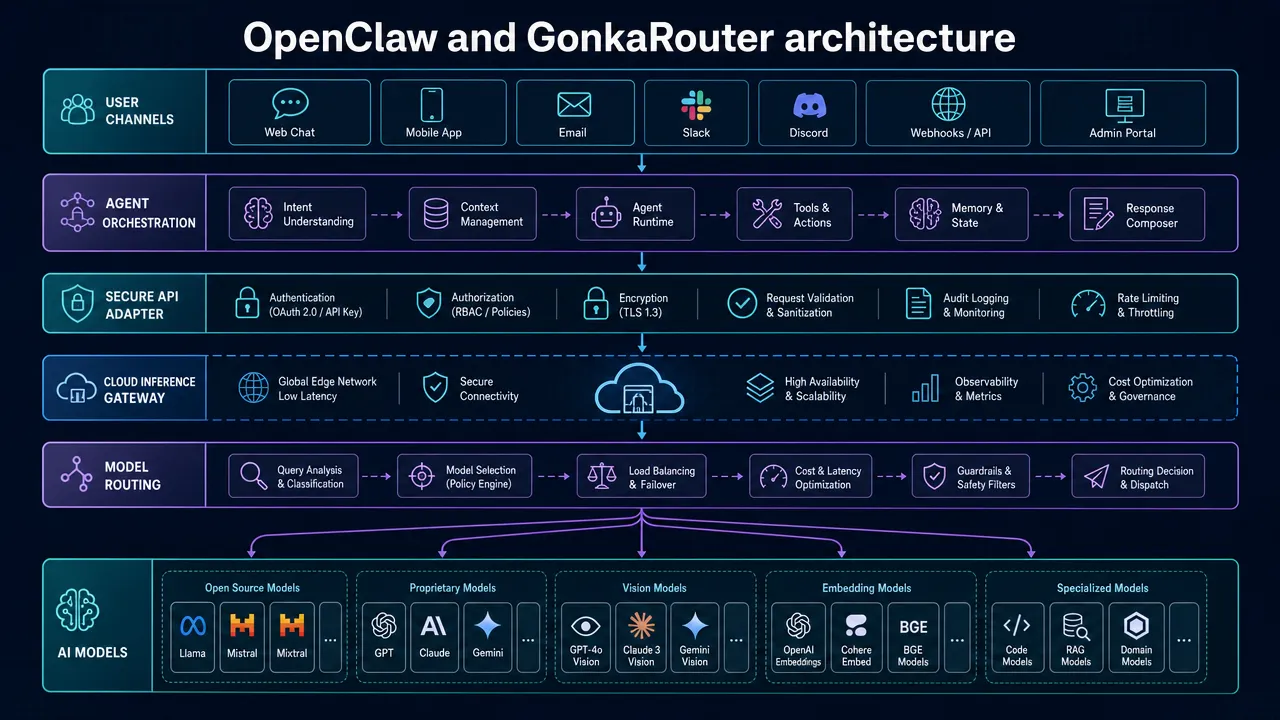
OpenClaw can serve as the self-hosted agent runtime and channel gateway, while GonkaRouter can provide the model-access boundary. That separation is a practical way to think about agentic AI infrastructure: keep agent behavior, tools, state, and policies in OpenClaw, then connect the runtime to a unified inference layer for the models your workload needs.
For teams evaluating GonkaRouter for AI agents, the immediate appeal is straightforward. GonkaRouter provides one API for its currently supported models: Kimi-K2.6, MiniMax-M2.7, and GLM-5.2. It supports OpenAI-compatible API and Anthropic-compatible API formats, though those formats describe interface compatibility only. They do not mean access to official OpenAI or Anthropic models.
Agentic AI infrastructure starts with a clear boundary
A reliable agent stack should separate the agent runtime from the model-access layer. In this setup, OpenClaw handles conversations, workflows, connected channels, tools, and agent execution. GonkaRouter handles inference access for an explicitly selected supported model.
This is useful because an agent deployment has more moving parts than a chat request. It needs credentials, model selection, error handling, tool permissions, timeouts, logging, and deployment controls. Treating these as distinct parts of your agentic AI infrastructure makes changes easier to test and roll back.

OpenClaw documents a provider and model configuration concept, with configuration stored in ~/.openclaw/openclaw.json. However, a native GonkaRouter provider, a custom base URL field, and exact configuration keys are not verified in the reviewed public OpenClaw documentation. That means this should be approached as a version-specific integration validation, not a copy-paste tutorial.
Before configuring anything, review the installed OpenClaw release and confirm whether it supports the compatible API path you intend to use. Then consult the current OpenClaw documentation and release notes from its official repository.
Agentic AI infrastructure needs a validated AI inference layer for agents
GonkaRouter can act as an AI inference layer for agents because it offers unified access to Kimi-K2.6, MiniMax-M2.7, and GLM-5.2 through one integration boundary. Developers can log in with email, obtain an API key, select a supported model, and validate the relevant API format for their application.
The important word is validate. Public research did not confirm the production base URL, authorization-header syntax, request paths, tool-call schema, streaming semantics, or error-code reference for a live OpenClaw configuration. Do not guess those values or reuse examples intended for another provider.
Use this implementation sequence instead:
Confirm the installed OpenClaw version and its supported provider or custom-endpoint mechanism.
Create an account through the GonkaRouter platform.
Get an API key and store it in the safest secret-management option supported by your environment.
Confirm whether your OpenClaw path expects the OpenAI-compatible API format or Anthropic-compatible API format.
Obtain the current endpoint, authentication, model-field, streaming, and tool-call requirements from GonkaRouter's developer materials.
Test a short, text-only request before enabling tools, streaming, or external actions.
Run an agent-specific compatibility suite before production use.
This distinction matters for an AI gateway for agent workloads. API compatibility can reduce integration work, but it does not automatically guarantee feature parity for function calls, multimodal inputs, streaming events, stop reasons, or structured outputs.
For the broader agentic cloud 2026 planning conversation, the useful mindset is not to assume every layer owns every operational capability. Keep retry policy, timeout rules, tracing, fallback decisions, and approval gates in your own application or orchestration layer unless a product feature is explicitly documented.
Agentic AI infrastructure model selection: Kimi-K2.6 or MiniMax-M2.7
For OpenClaw deployments, choose a model based on a representative agent evaluation suite, not a generic claim that one is always better. GonkaRouter lists the following model identifiers and labels on its supported model catalog.
Evaluation area | Kimi-K2.6 | MiniMax-M2.7 | Practical implication |
|---|---|---|---|
Displayed model ID |
|
| Use the exact ID confirmed in current documentation. |
Listed maximum output | 262K | 192K | Kimi-K2.6 is the first candidate when output-length requirements exceed 192K. |
Listed capabilities | Chat, Vision, Function, Reasoning, Cache, Search | Chat, Function, Reasoning, Cache | Validate each required feature through the selected API path. |
Agent test starting point | Vision or search-oriented workflows | Text, reasoning, or function-enabled workflows | Benchmark both for general agent behavior. |
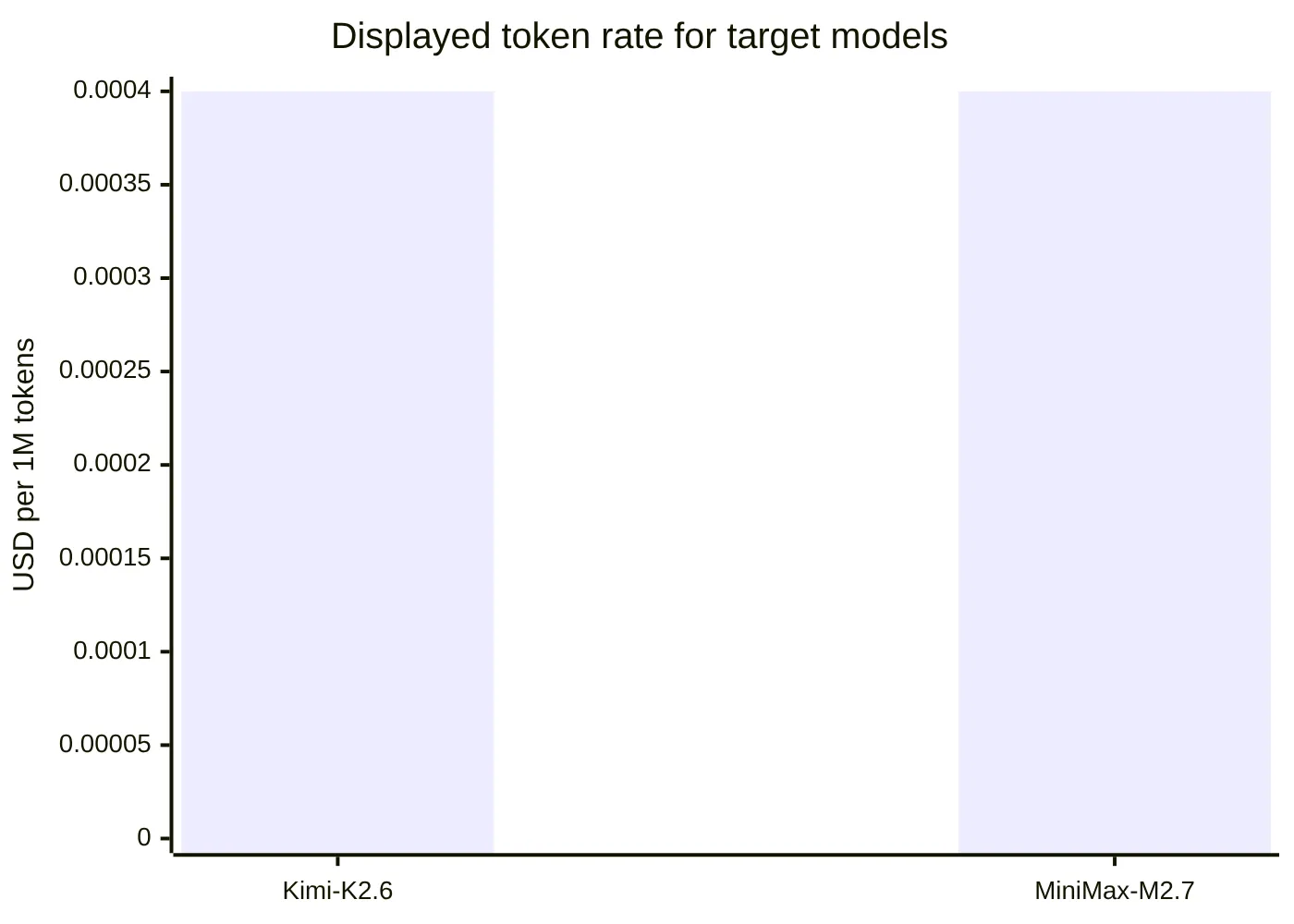
Listed token rate | $0.0004 per 1M tokens | $0.0004 per 1M tokens | Check live pricing because utilization-based adjustments may apply. |
Kimi-K2.6 has documented visual and text input, dialogue, and agent-task capabilities in Moonshot's model documentation. GonkaRouter also lists Vision and Search labels for Kimi-K2.6. These are useful reasons to evaluate it first for workflows involving those needs, but the OpenClaw adapter must still be tested for pass-through compatibility.
MiniMax-M2.7 is also a valid option for reasoning and function-oriented evaluations. GonkaRouter displays Function and Reasoning labels for both target models. Those labels do not prove that a specific OpenClaw tool schema will work without translation or that long-running tool loops will behave identically. Test tool definitions, tool results, malformed calls, cancellation, and retry behavior in a safe environment.
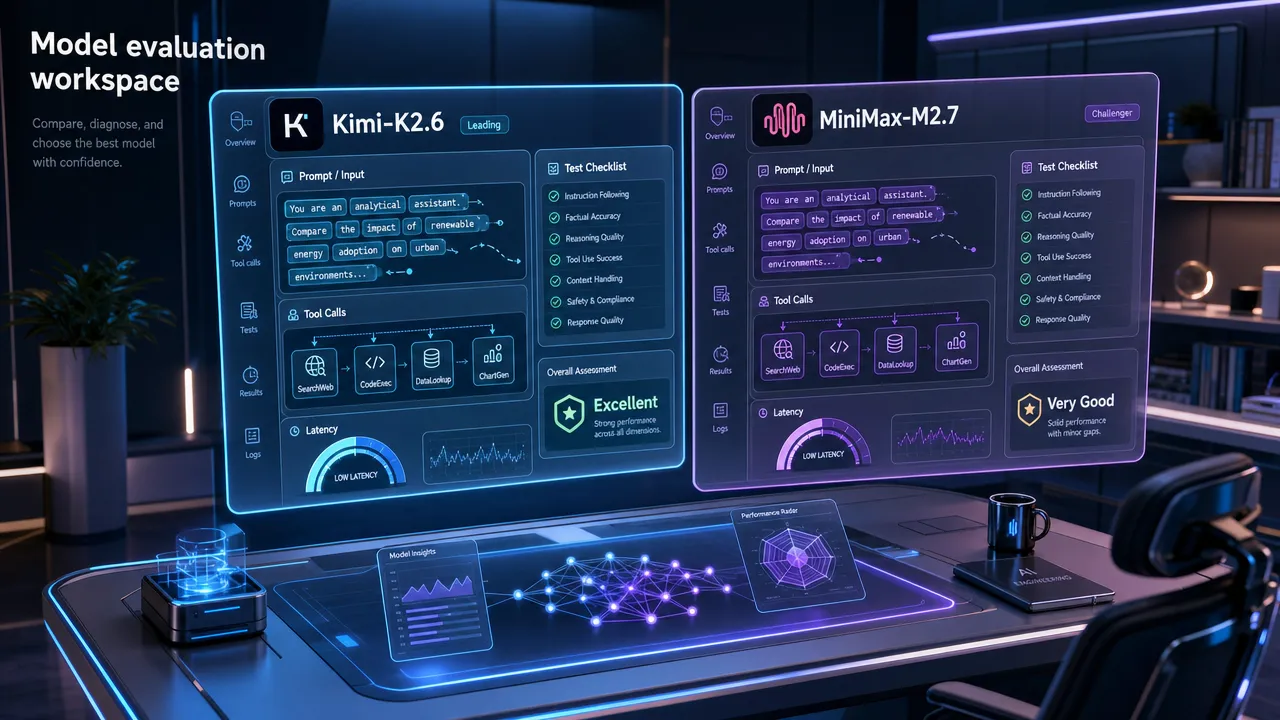
A useful test matrix should include:
Basic text responses and multi-turn conversations.
Function or tool requests with sandboxed, non-destructive tools.
Tool-error recovery and bounded retry behavior.
Streaming and non-streaming response handling.
Long-context prompts relevant to your actual agent tasks.
Timeouts, cancellation, and malformed-request behavior.
Structured-output parsing where the validated API format supports it.
Redacted logging and secret-safety checks.
Agentic AI infrastructure makes a multi-model API for AI agents more practical
A multi-model API for AI agents is valuable when it gives a team one controlled integration point while keeping model selection explicit. GonkaRouter currently provides unified access to only three models: Kimi-K2.6, MiniMax-M2.7, and GLM-5.2. That defined scope is preferable to vague assumptions about universal model access.
The same boundary applies to compatibility language:
OpenAI-compatible API format does not mean official OpenAI model access.
Anthropic-compatible API format does not mean official Anthropic model access.
A compatible request format does not guarantee identical support for tools, images, caching, streaming, or response fields.
For a model-as-a-service for agents strategy, centralize a few decisions in your application configuration:
Control | Recommended ownership |
|---|---|
Model ID selection | Application configuration and release process |
API key storage | Secret manager or secure runtime environment |
Timeouts and retry caps | Agent orchestration layer |
Tool permissions | OpenClaw and application policy |
Prompt and output redaction | Application logging policy |
Fallback behavior | Application-owned policy after compatibility testing |
Observability | Application telemetry and redacted request metadata |
GonkaRouter's documented token pricing is as low as $0.0004 per 1M tokens for the listed models. The models page also notes that rates can adjust based on Gonka Network utilization, so treat the displayed amount as a current reference rather than a permanent guarantee. Review current pricing details before deployment.
New users receive a one-time 20 USDT trial credit after email login according to the supplied product context. Because public wording may differ across pages, confirm the live dashboard denomination and applicable terms before communicating it externally.
Agentic AI infrastructure requires an agent operations platform mindset
An agent operations platform does not have to be a single vendor product. It can be an operating model that combines OpenClaw, a validated model-access layer, deployment controls, and measurable policies.
For an OpenClaw and GonkaRouter deployment, production readiness should include the following:
Pin the OpenClaw version and selected model ID.
Keep API keys out of source control, browser code, screenshots, and logs.
Use short, non-sensitive prompts for initial connectivity tests.
Classify failures as authentication, invalid request, throttling, timeout, parsing, tool, or unknown.
Apply bounded retries only to failures known to be temporary.
Require human approval for destructive actions, privileged tools, and external communications.
Preserve a tested rollback configuration.
Record non-sensitive metadata such as timestamps, model ID, status class, latency, and tool outcome.
GonkaRouter's privacy policy advises against submitting sensitive personal, financial, or confidential information through API usage. Its terms of service also place responsibility for API-key security on users and allow rate or usage limits. These are practical reasons to adopt data minimization, secret rotation, and rate-limit-aware behavior from the first deployment.
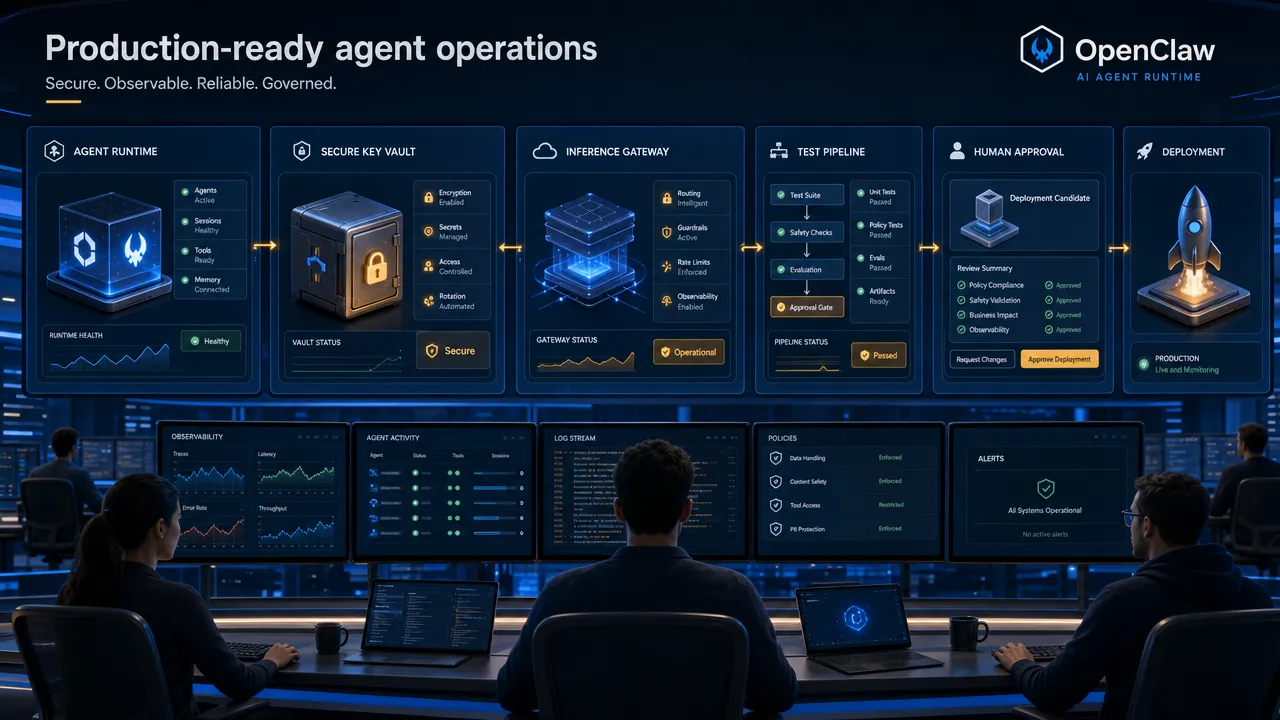
The strongest way to use GonkaRouter with OpenClaw is to be precise: select Kimi-K2.6 or MiniMax-M2.7 deliberately, verify the current API details, confirm the OpenClaw provider path for your installed release, and test agent behaviors before production rollout.
To begin, review the current model IDs and capability labels, read the explanation of the unified API platform, and explore how an AI Model Router API works. Then log in with email, get an API key, and validate the integration against your own agent workload.