LLM failover protects production AI apps by rerouting failed model requests through a resilient AI model router before users experience broken workflows. For developers building agents, chatbots, workflow automation, code generation tools, or enterprise AI features, a single failed model call can interrupt the entire user journey. The practical answer is not just "use multiple AI models"; it is to put a routing layer between your application and model endpoints so retries, fallback rules, model context handling, and observability are managed consistently.
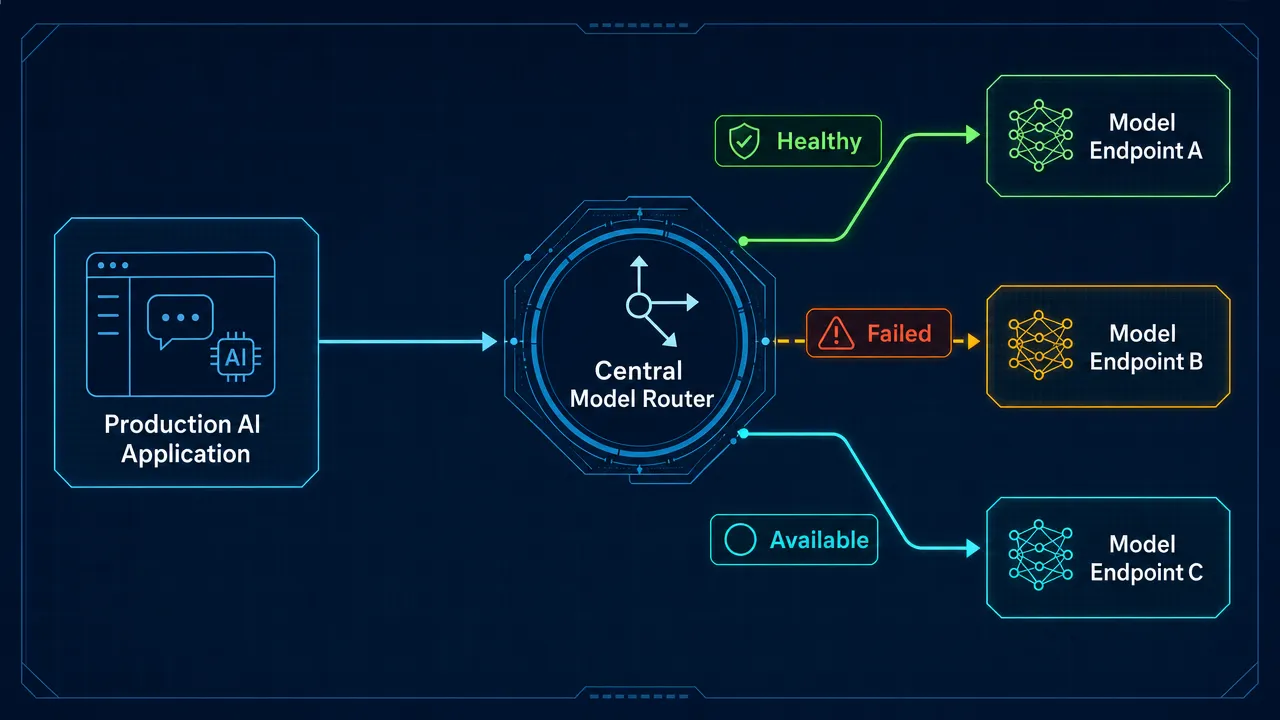
How llm failover keeps production AI workflows resilient
LLM failover is the automatic process of moving a request from a failed, overloaded, unavailable, or degraded model route to another eligible route. It usually triggers on timeouts, rate limits, network failures, high latency, service errors, or model unavailability.
Model fallback routing is closely related. A team defines a primary route and one or more fallback routes. If the primary route fails, the router tries the next route according to policy. AI model failover is the broader reliability pattern, while llm failover is the LLM-specific version used in chat, agents, retrieval workflows, and structured generation.
Common production triggers include:
Failure condition | What happens | Practical response |
|---|---|---|
Timeout | The route does not respond fast enough. | Retry once or switch to fallback. |
Rate limit | The model rejects traffic due to quota pressure. | Route to another eligible model or queue. |
Service error | The endpoint returns a 5xx error. | Open a circuit breaker and use fallback. |
Context overflow | The prompt exceeds the available model context. | Compress context, reduce retrieved chunks, or choose a suitable supported route. |
Schema error | The request format is invalid. | Fix the request instead of blindly falling back. |
The most important rule is that fallback should be deliberate. A fallback model may return a different tone, format, refusal behavior, or JSON structure. Production teams should log every fallback event, including original route, fallback route, error class, prompt version, latency, and final response status.
Why llm failover needs intelligent model routing, not scattered retry logic
Intelligent model routing centralizes decisions that otherwise get spread across application code. Without a router, every service, agent step, or backend function may need its own retry logic, model IDs, credentials, error handling, and fallback chain. That creates duplicated code and makes it harder to route requests between llms safely.
An ai routing engine can evaluate several signals before sending a request:
Task type, such as summarization, code generation, classification, or final response generation.
Model health, including error rates and timeout patterns.
Cost and latency targets.
Model context requirements.
Request caching eligibility.
Fallback policy after failures.
Agent state and tool-call risk.
This is where llm load balancing differs from llm failover. Load balancing is proactive: it distributes requests before failure based on weights, latency, availability, or capacity. Failover is reactive: it switches routes after a route fails or becomes unhealthy.
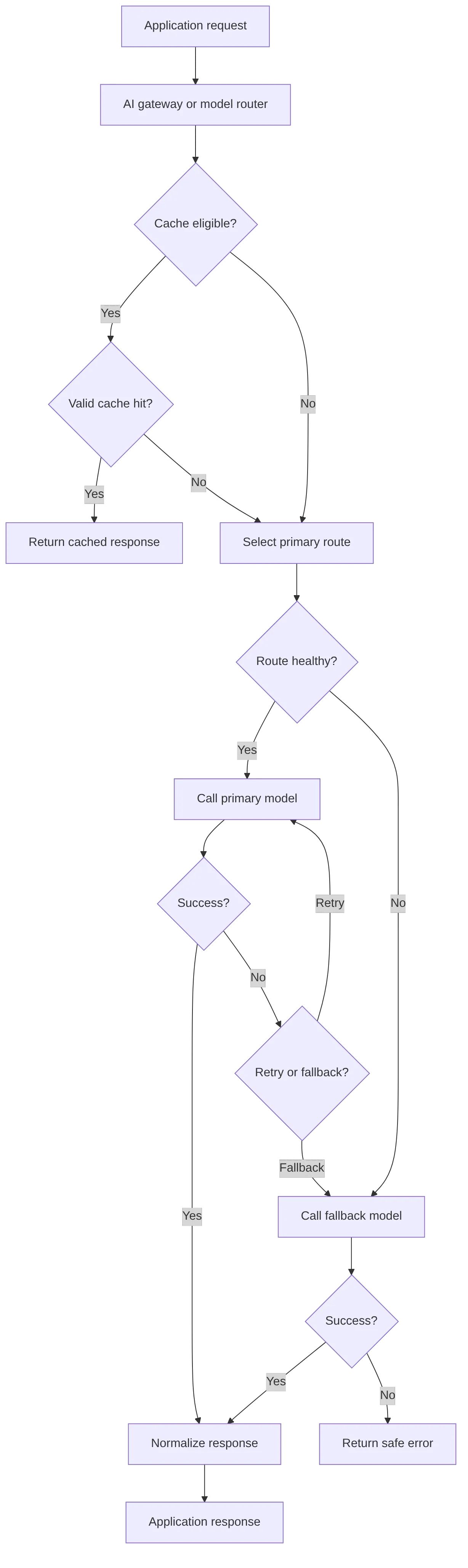
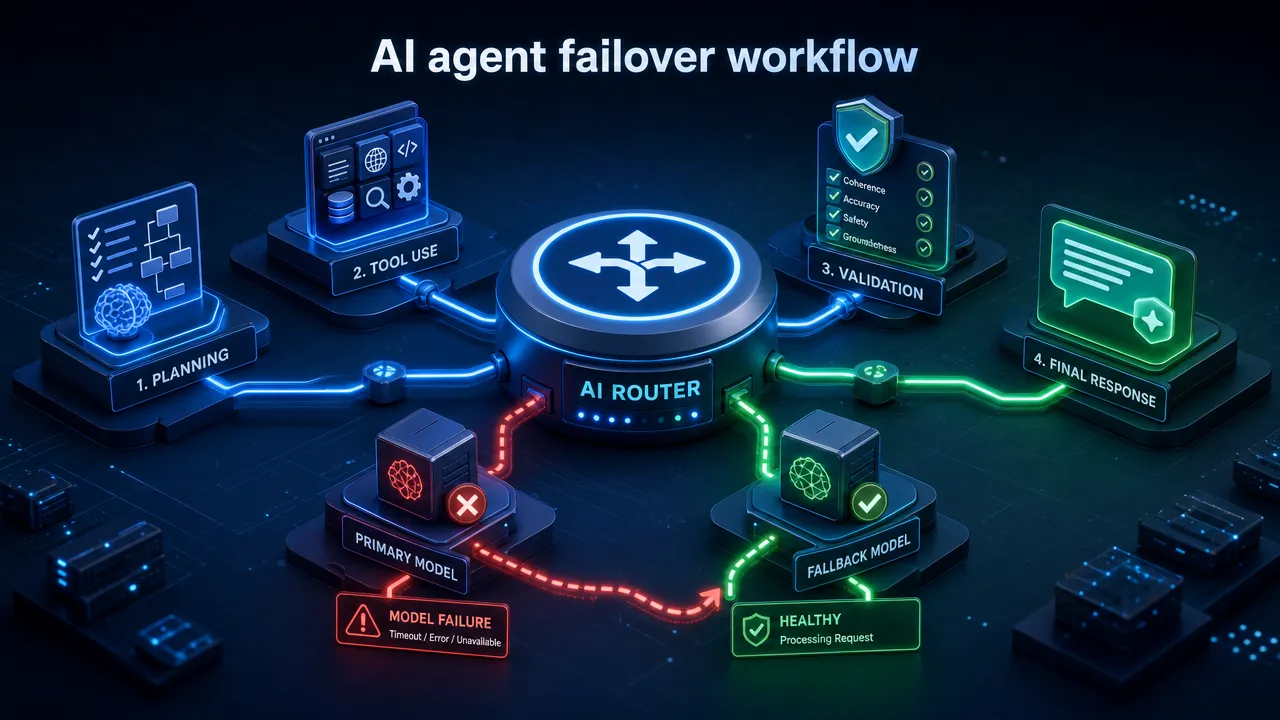
Semantic routing llm patterns add another layer. Instead of routing only by static model name or health status, semantic routing uses meaning, intent, domain, or complexity. For example, an agent may route planning, tool-output summarization, validation, and final response generation differently. This is especially useful for a model router for agents or an ai gateway for agents, where one user request may create many internal model calls.
Where llm failover, request caching, and model context meet
Request caching can reduce both latency and repeated token usage, but it must be designed carefully. Exact-match caching reuses a response when the prompt and parameters match exactly. Semantic caching reuses responses for similar prompts, often using embeddings or similarity scoring. Both can help when repeated FAQ, classification, or transformation requests appear frequently.
However, caching is not always safe. Teams should avoid caching sensitive user data unless they have tenant isolation, permissions, deletion policies, and clear retention rules. Cache entries can also become stale when prompts, policies, tools, retrieved documents, or model versions change.
Model context is another routing concern. Model context includes system prompts, user messages, conversation history, retrieved documents, tool outputs, memory, and formatting instructions. If the request is too large or contains irrelevant retrieved chunks, fallback alone may not solve the issue. The better approach is often:
Compress or summarize lower-value context.
Reduce retrieved chunks.
Keep agent state separate from long-term memory.
Validate whether the target route can handle the required context.
Log prompt version and context size for debugging.
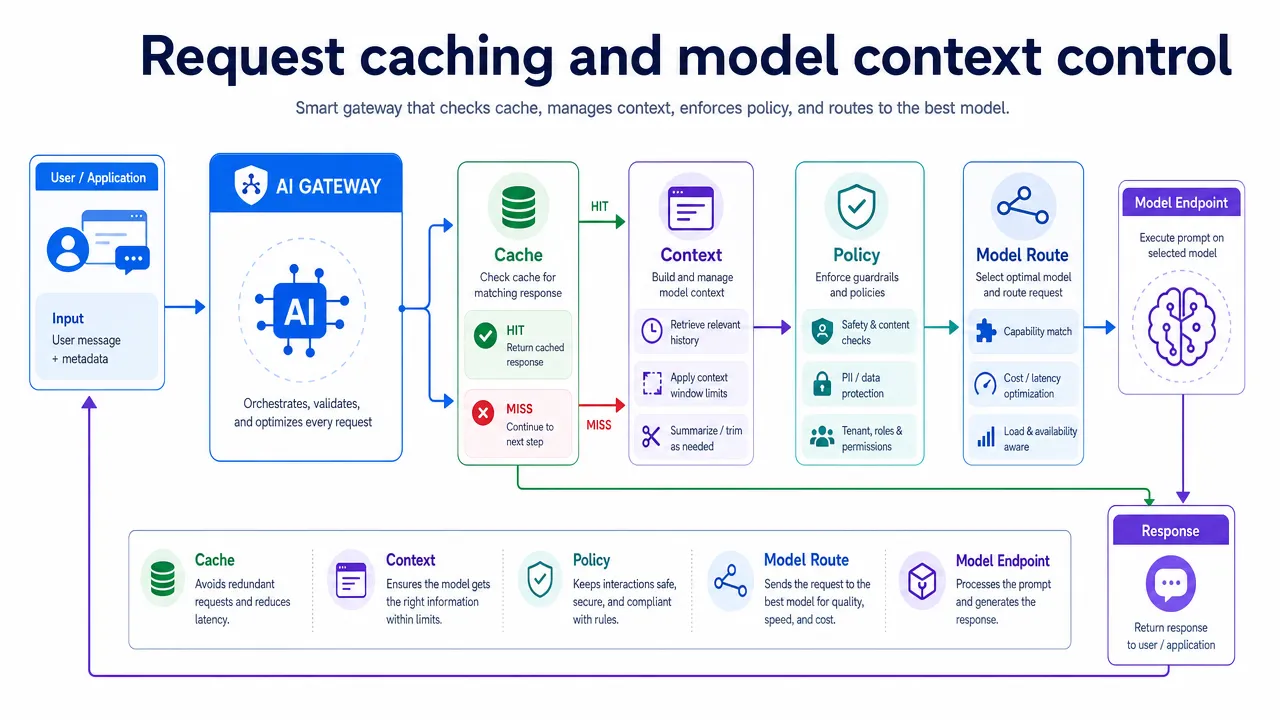
A practical llm routing strategies scorecard can help product teams evaluate when to retry, fall back, cache, or return an error.
Strategy | Best for | Watch out for |
|---|---|---|
Retry same model | Short network glitches or transient timeouts. | Too many retries increase latency. |
Sequential fallback | Predictable model fallback routing. | Slow if each route waits for timeout. |
Weighted routing | Canary tests and gradual migration. | Requires monitoring quality and errors. |
Latency routing | User-facing chat and streaming UX. | Fastest route may not be best for every task. |
Cost-aware routing | High-volume simple tasks. | Do not sacrifice required quality. |
Semantic routing | Intent-based or agent-step routing. | Needs reliable classification and evaluation. |
Searches like "how to switch between claude and gpt" often show that developers want to avoid rewriting their application every time they test a different model API format. For GonkaRouter, the correct framing is narrower and precise: OpenAI-compatible and Anthropic-compatible mean API format compatibility only. They do not mean GonkaRouter currently provides official OpenAI or Anthropic models.
How llm failover fits GonkaRouter's unified API for supported models
GonkaRouter is an OpenAI- and Anthropic-compatible AI Gateway and AI Model Router that provides one API for its currently supported models: MiniMax-M2.7, Kimi-K2.6, and GLM-5.2. Developers can use a unified API layer to reduce integration overhead, test supported model routes, and build application-level routing policies without maintaining separate integrations for each supported model.
For a deeper product definition, the GonkaRouter team explains the platform in its product explainer. Developers comparing unified access patterns can also read the unified API guide and the endpoint migration guide. Related technical content is available through the GonkaRouter developer guides.
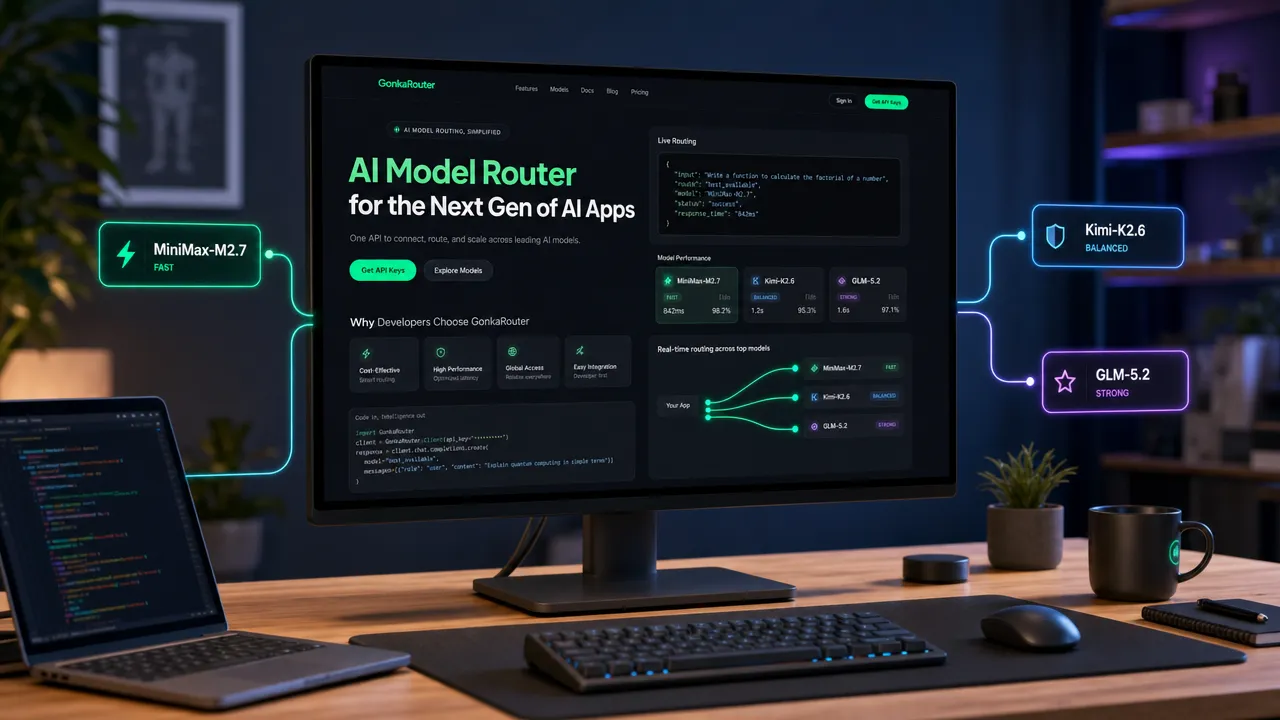
For brand consistency, the GonkaRouter visual identity and any visible product-specific elements should remain consistent with the reference image, including the GonkaRouter product positioning and recognizable interface traits. The background, lighting, camera angle, workspace scene, and supporting routing graphics may be adapted into a new composition.
GonkaRouter's developer value is focused and explicit:
Capability | GonkaRouter positioning |
|---|---|
Multi Model API | One API for MiniMax-M2.7, Kimi-K2.6, and GLM-5.2. |
OpenAI Compatible API | Format compatibility for OpenAI-style integrations. |
Anthropic Compatible API | Format compatibility for Anthropic-style workflows. |
AI Inference API | Unified access for supported model inference. |
Agent API use cases | AI Agents, automated workflows, intelligent Q&A, and tool-based applications. |
Fast integration | Developers only need to change the API Endpoint. |
Cost advantage | Token pricing as low as $0.0004 / 1M tokens. |
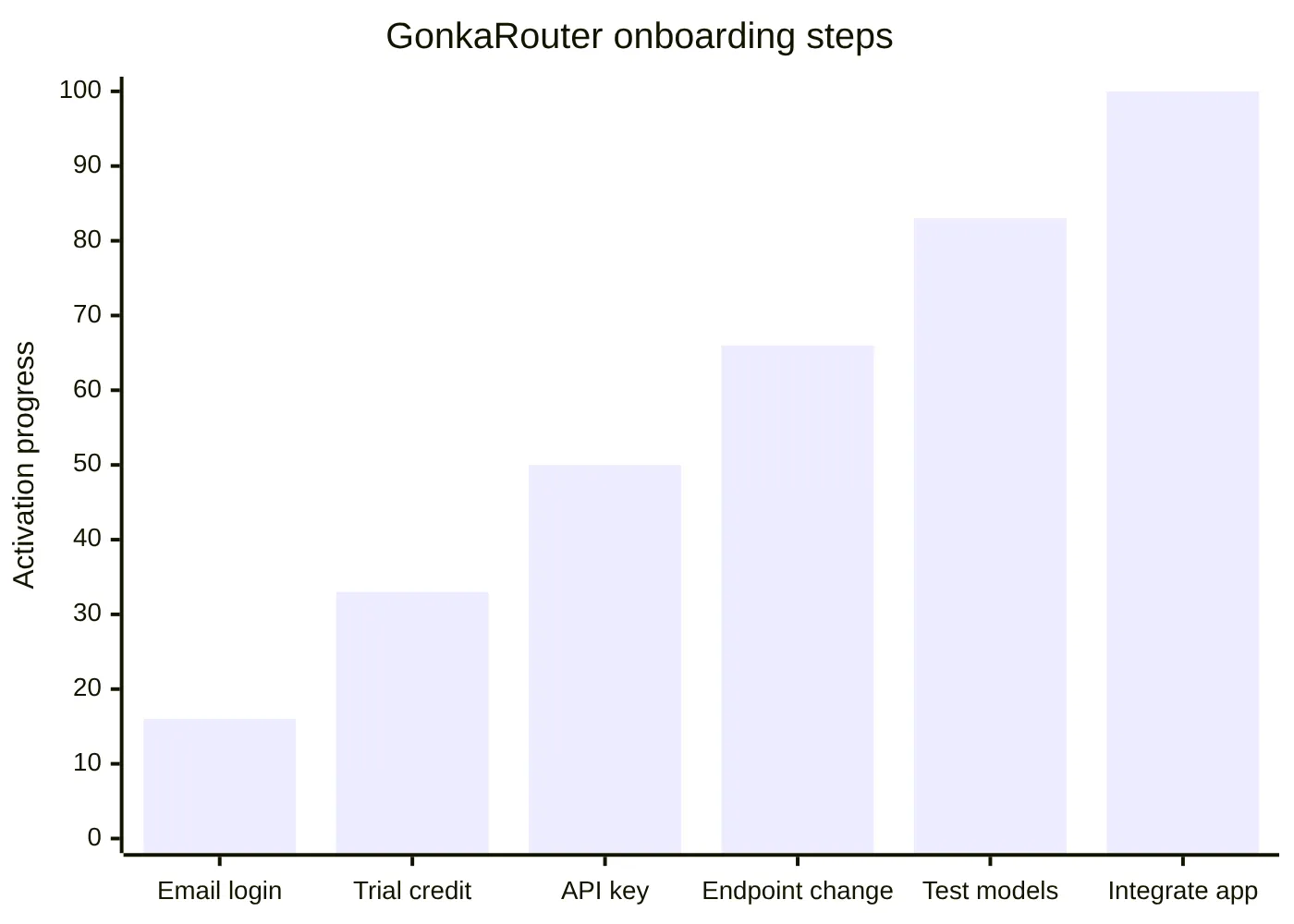
Onboarding | Email-based login and a one-time 20 USDT trial credit for product usage. |
GonkaRouter is built on the Gonka decentralized AI compute network, which connects globally distributed GPU resources for low-cost AI inference. The product should not be described as a universal model marketplace or as supporting all providers. Its currently supported model list is limited to MiniMax-M2.7, Kimi-K2.6, and GLM-5.2.
A simple developer flow looks like this:
How to apply llm failover in an agent or product using GonkaRouter
An llm gateway for agents should treat every model call as part of a larger workflow. A planning call, tool selection call, validation call, and final answer call may have different reliability requirements. For example, retrying an internal summarization step may be safe, while retrying a tool-triggering step could duplicate external actions if the workflow is not idempotent.
A practical GonkaRouter-based implementation can follow this pattern:
Choose a default supported model for each task type, such as MiniMax-M2.7, Kimi-K2.6, or GLM-5.2.
Define fallback rules for timeout, rate-limit, and service-error cases.
Keep prompt templates portable across supported model routes.
Track model context size before sending requests.
Use request caching only for safe, repeatable, non-sensitive tasks.
Log route, error class, fallback count, latency, and response quality.
Return a clear user-safe error when all eligible routes fail.
This approach helps developers use multiple ai models without turning the application into a pile of provider-specific logic. It also makes intelligent model routing measurable: teams can compare cost per completed task, fallback frequency, latency percentiles, and output quality across supported routes.
For teams ready to test, the conversion path is straightforward: log in or register with email, receive the one-time 20 USDT trial credit for product usage, get an API key, choose MiniMax-M2.7, Kimi-K2.6, or GLM-5.2, change the API Endpoint, and integrate the supported model route into a product or Agent application.