LLM failover keeps AI applications reliable by rerouting failed, slow, or unhealthy model requests through a controlled routing layer instead of letting a single model call break the user experience. For production teams building agents, chatbots, coding assistants, enterprise Q&A, and automated workflows, failover is not just a backup model. It is a routing architecture that combines retries, model fallback routing, request caching, model context handling, health checks, and observability.
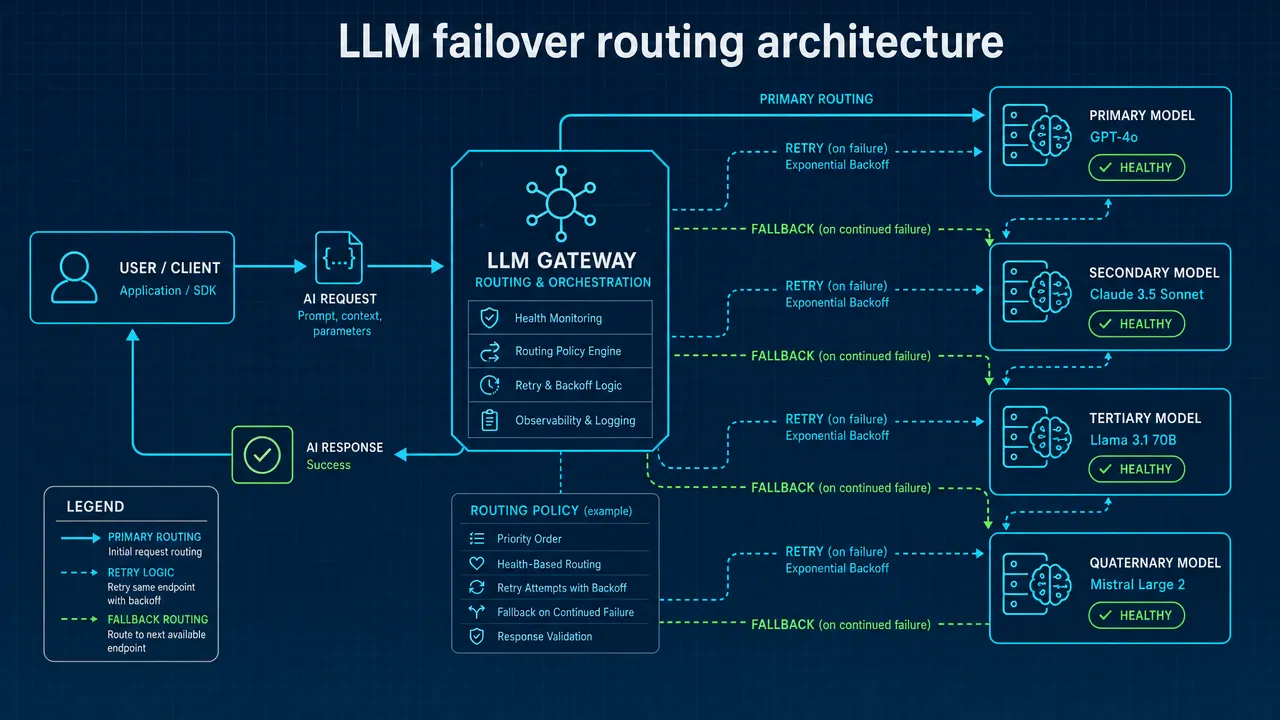
Why LLM failover needs a routing layer, not just a backup model
LLM failover means automatically switching an AI request to a backup model, endpoint, region, or inference path when the primary path fails, times out, hits rate limits, or becomes unhealthy. Technical documentation from projects such as Agentgateway model failover describes unhealthy responses such as 5xx errors and 429 rate limits as common triggers for failover policies.
A simple retry can fix a short network hiccup. A fallback model can preserve the user experience when the first model path is unavailable. But production systems need a broader ai routing engine because the router must decide when to retry, when to fallback, when to return a cached answer, and when to stop.
Pattern | What it does | Best used when | Main risk |
|---|---|---|---|
Retry | Calls the same model again after a short delay | Timeout, temporary 5xx, short 429 window | Too many retries increase latency |
Model fallback routing | Calls another supported model or endpoint | Primary route fails or is unhealthy | Output may differ across models |
LLM load balancing | Distributes traffic across healthy paths | High-volume applications | Model behavior may vary |
Request caching | Reuses a previous response when safe | Repeated FAQs or deterministic tasks | Stale or incorrect cache hits |
Semantic routing LLM | Routes by meaning, intent, domain, or complexity | Agents and multi-domain apps | Misclassification can route poorly |
The most reliable pattern is usually hybrid: check policy, check cache, evaluate model health, classify the request, choose a route, validate the output, and log every decision.
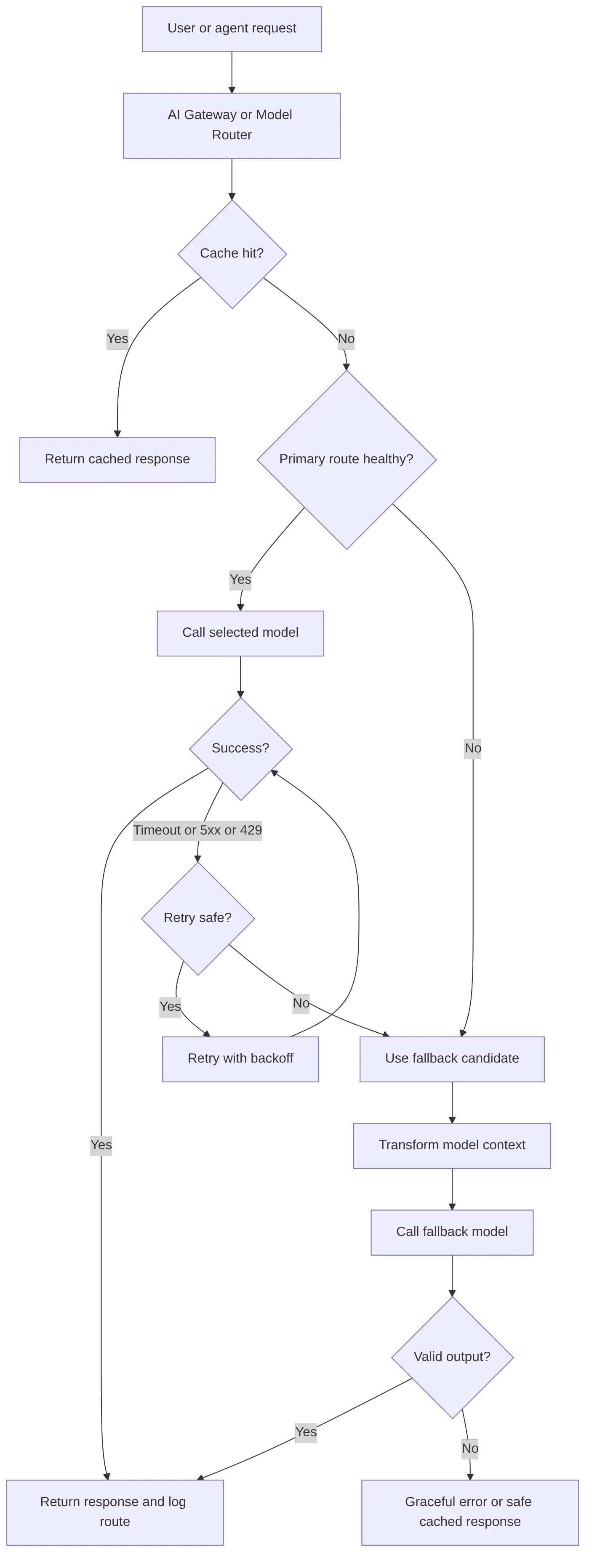
LLM failover strategies for semantic routing LLM systems
Semantic routing LLM systems route requests based on what the request means, not only on a static model name. A semantic router may use embeddings, classifiers, prompt structure, complexity scores, safety signals, language detection, or domain labels. The vLLM Semantic Router documentation describes signal-driven routing for mixture-of-model systems, including signals such as domain, complexity, language, and policy-related indicators.
For example, an agent may treat these tasks differently:
A short classification call can use a fast, low-latency route.
A long document summary may require a route that can handle larger model context.
A code generation request may require stricter output validation.
A repeated support question may be served through request caching.
A failed planning step may trigger ai model failover with preserved agent state.
This is where intelligent model routing becomes important. The route should reflect intent, context requirements, health, latency, and output constraints.
LLM routing strategies | How it works | Developer fit |
|---|---|---|
Static routing | Always send a task type to one model | Simple prototypes |
Rule-based routing | Use metadata such as route, user tier, or task type | Predictable production apps |
Semantic routing | Route by meaning, intent, or vector similarity | Agents and complex assistants |
Cost-aware routing | Select a capable lower-cost route for simple tasks | High-volume workloads |
Latency routing | Prefer fast healthy routes | User-facing chat |
Cache-first routing | Check exact or semantic cache before calling a model | FAQs and repeated workflows |
Fallback routing | Try primary, then backup on failure | Reliability-critical apps |
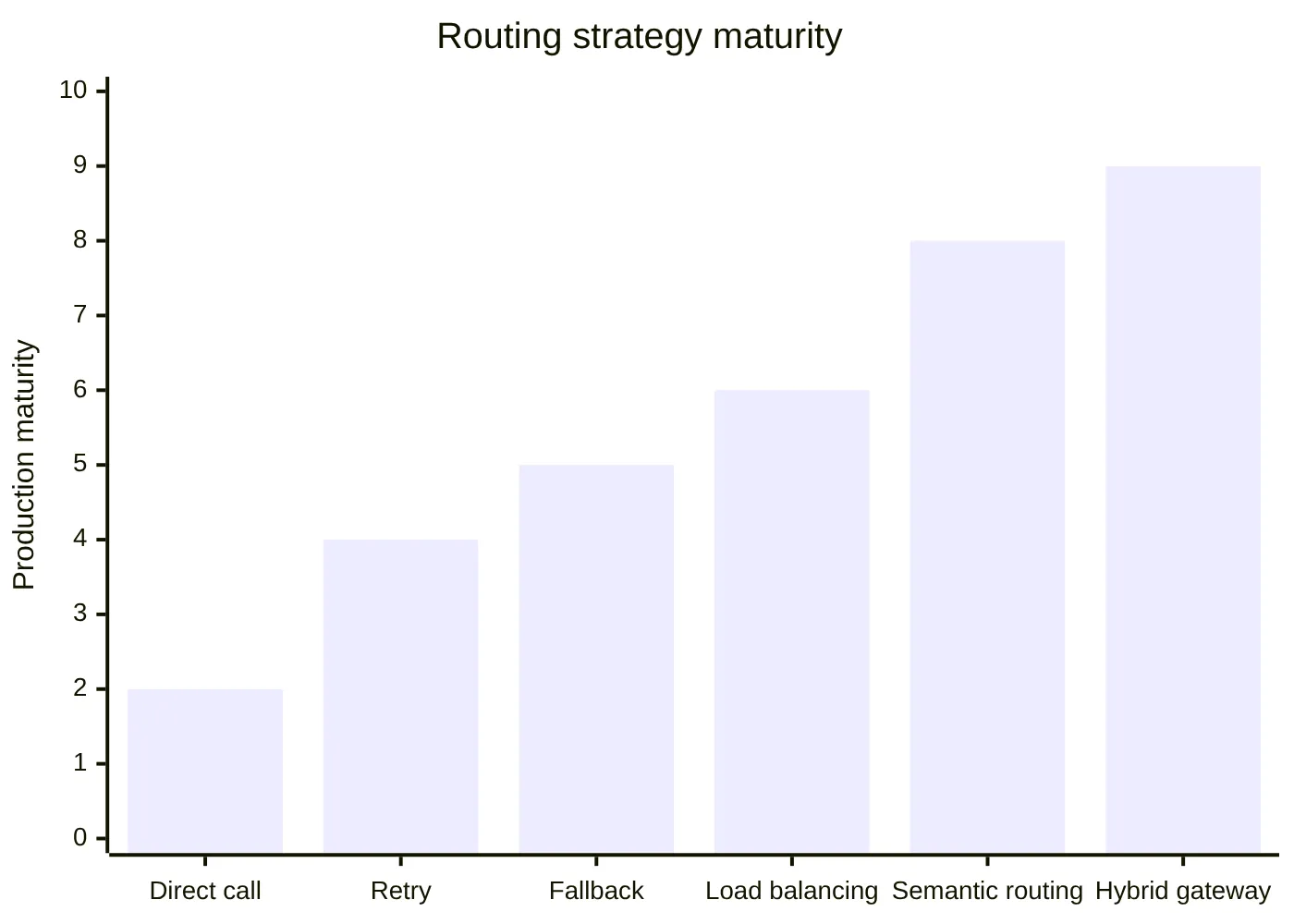
Searches like "how to switch between claude and gpt", "route requests between llms", and "use multiple ai models" usually point to the same architectural need: developers want model switching without rewriting application logic. However, model switching must be described precisely. API format compatibility can reduce integration work, but it does not mean every model or provider is available through a given gateway.
How LLM failover depends on model context and request caching
Model context is the complete input state sent to the model: system prompt, developer instructions, user messages, conversation history, retrieved documents, memory, tool schemas, output format rules, and metadata. Failover is risky when the backup route cannot accept the same context shape.
A fallback model may have different behavior around:
Context length.
Message roles.
System prompt interpretation.
Tool or function schemas.
JSON formatting.
Streaming.
Safety behavior.
Output style.
OpenAI-style and Anthropic-style APIs also use different request patterns. Developers can review the OpenAI API reference and Anthropic Messages API to understand the format differences. An OpenAI Compatible API or Anthropic Compatible API can make integration faster, but developers still need to validate model-specific behavior.
Request caching adds another layer of resilience. If a safe cache entry exists, the router can return a previous response instead of calling a fallback model. This is useful for repeated FAQ answers, deterministic classification, common agent substeps, and repeated system-prompt prefixes. But caching requires governance: avoid caching sensitive user-specific prompts by default, isolate tenant data, set TTLs, and invalidate stale responses.
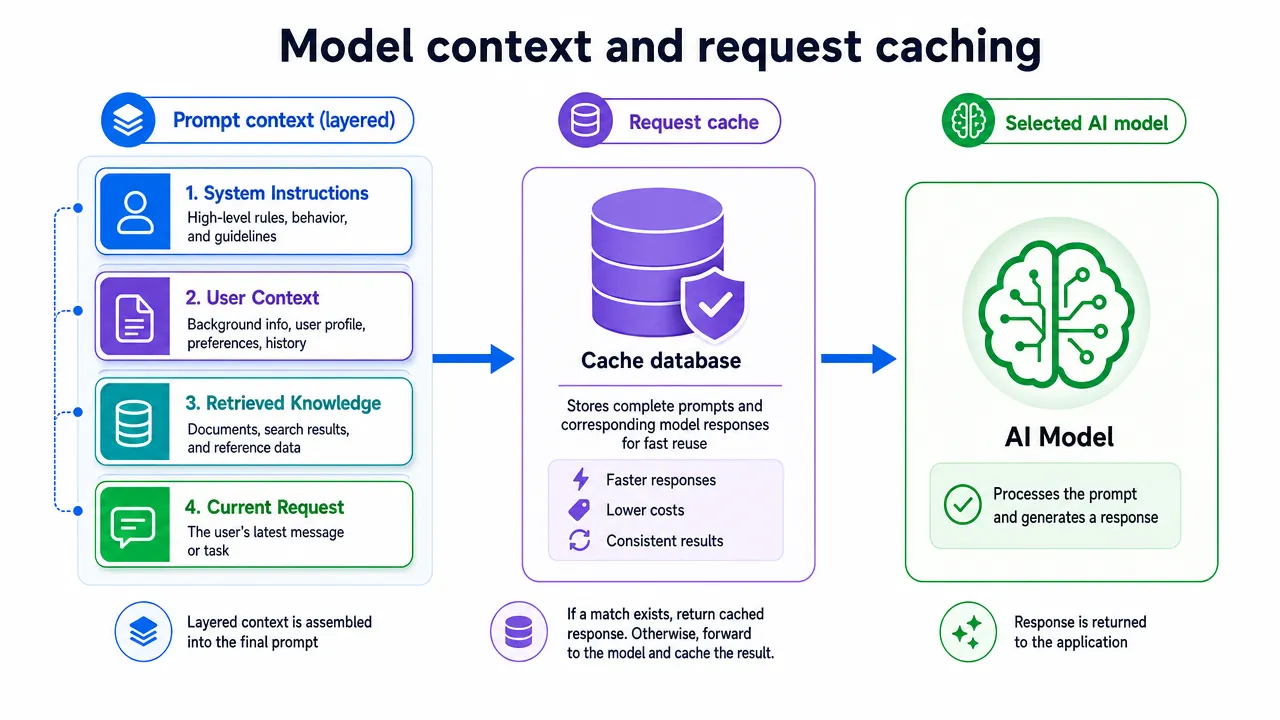
A practical failover path should transform context before switching models:
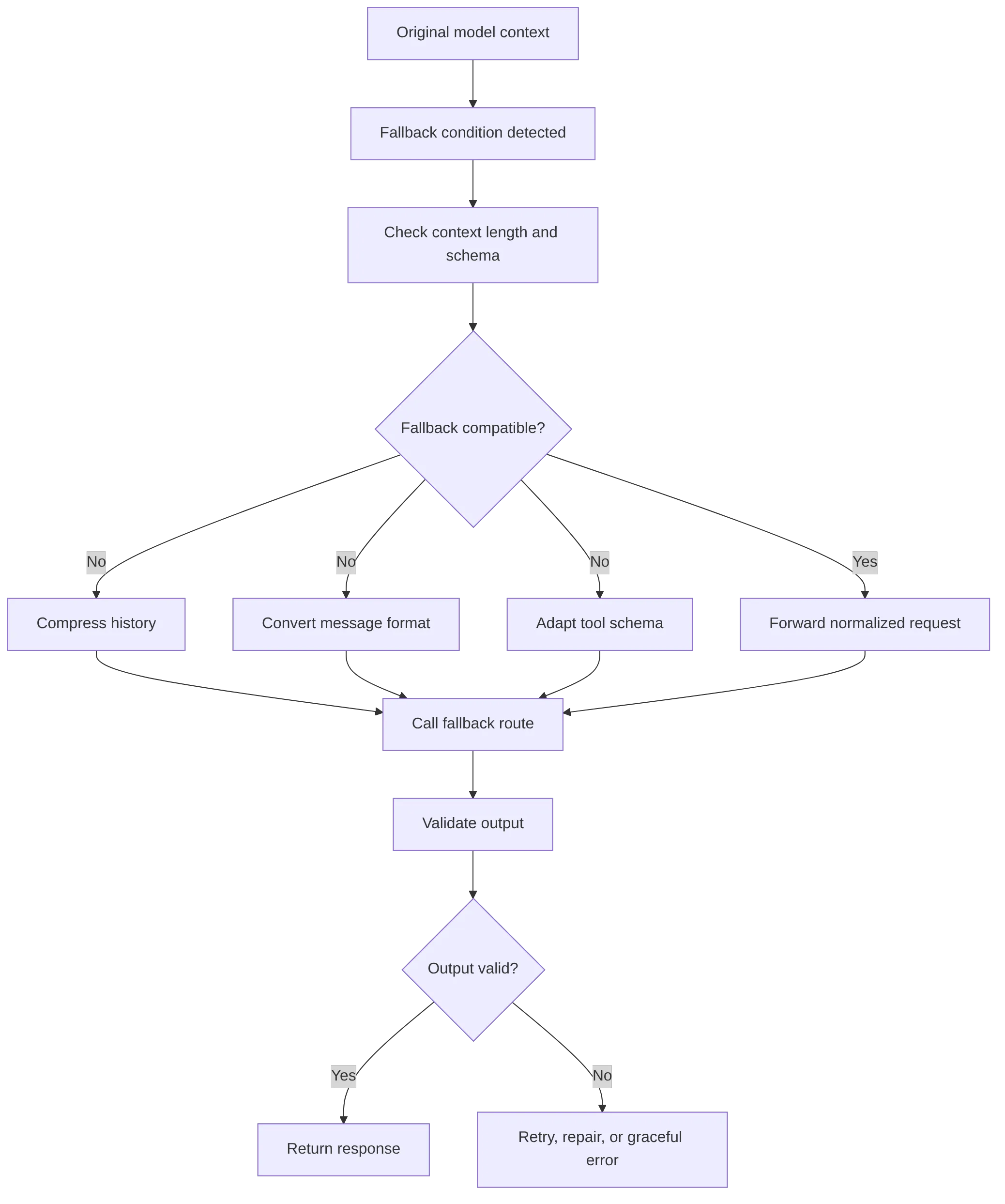
For agent systems, this is especially important. A model router for agents should preserve the agent state, log the route used at each step, and validate outputs before downstream tools execute anything.
Where LLM failover fits in an AI gateway for agents
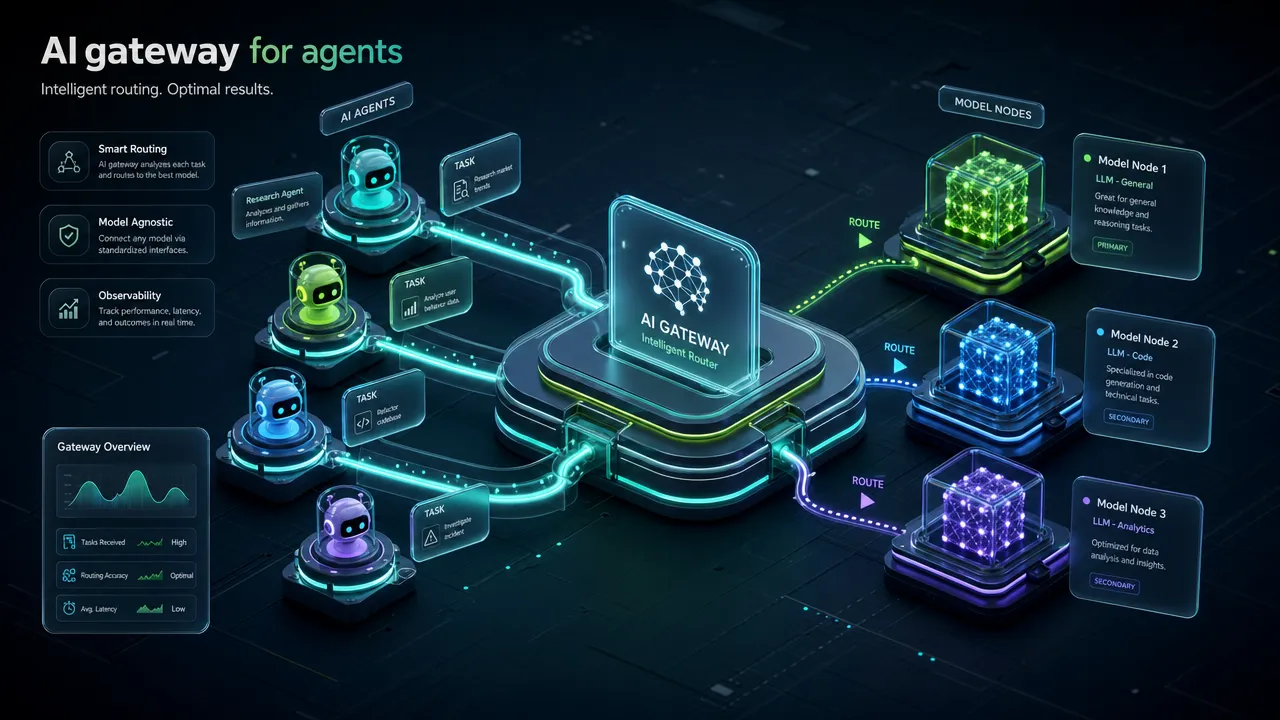
An AI Gateway, LLM Gateway, or AI Model Router sits between applications and model endpoints. IBM describes an AI gateway as middleware for managing AI model access, policies, and operational controls in its AI gateway explainer. For developers, the key benefit is centralization: instead of embedding routing, retry, cache, and model-switching logic across every agent or service, the application can call one gateway layer.
Direct integration often creates operational overhead:
Dimension | Direct model integration | AI gateway or model router |
|---|---|---|
API access | Separate endpoints and keys | Unified access layer |
Routing | Hardcoded in app logic | Centralized route policy |
Failover | Manual per service | Shared fallback design |
Caching | App-specific | Consistent cache policy |
Logs | Fragmented | Route-level observability |
Agents | Each agent handles model calls differently | Agent calls can use one gateway pattern |
Maintenance | More SDK and format work | Faster model switching and testing |
An llm gateway for agents is useful because agents amplify failure. One user task may trigger planning, retrieval, summarization, tool selection, validation, and final response generation. If any intermediate call fails without safe retry or fallback logic, the whole task may collapse.
Common production controls include:
Retry limits with exponential backoff.
Short fallback chains to avoid loops.
Health checks for timeout, 5xx, and 429 patterns.
Cache rules by task type.
Output validation before tool execution.
Logs for model, route, latency, token usage, and fallback events.
Evaluation sets for every major route.
How GonkaRouter supports LLM failover architecture planning
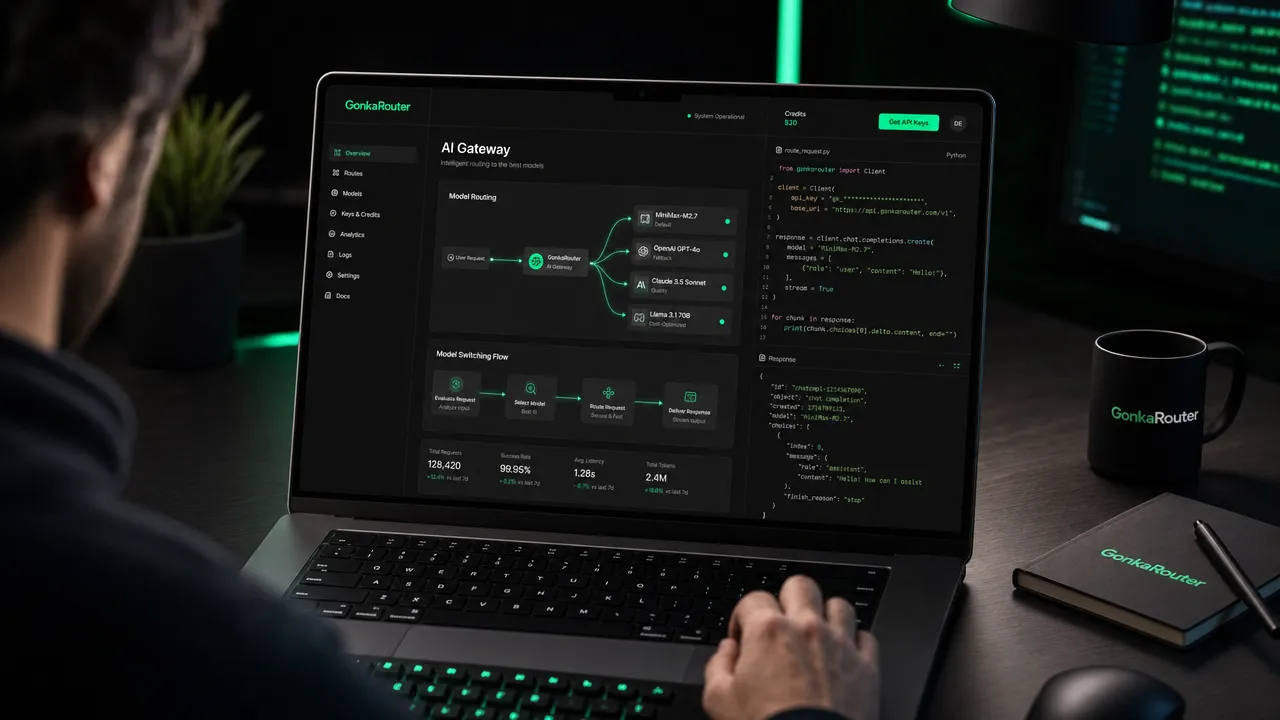
GonkaRouter is an AI Model Router and AI Gateway for developers who want one API for its currently supported models: MiniMax-M2.7, Kimi-K2.6, and GLM-5.2. It is built on the Gonka decentralized AI compute network and is designed to reduce integration complexity for AI developers, agent developers, startup teams, AI product managers, Web3 project teams, and enterprise technical teams.
GonkaRouter supports OpenAI-compatible API format and Anthropic-compatible API format. This compatibility is about request and response format patterns only. It does not mean GonkaRouter provides official OpenAI or Anthropic models.
For teams planning llm failover, GonkaRouter can serve as the unified API layer for testing and switching among its currently supported models. Developers can build their own retry, validation, context transformation, and fallback policies around a router-style architecture while avoiding separate integrations for each supported model.
Key GonkaRouter details for evaluation:
GonkaRouter capability | What it means for developers |
|---|---|
One API for supported models | Access MiniMax-M2.7, Kimi-K2.6, and GLM-5.2 through a unified access pattern |
OpenAI-compatible API format | Faster integration for code already using OpenAI-style request patterns |
Anthropic-compatible API format | Faster integration for code using Anthropic-style message patterns |
Fast integration | Developers only need to change the API Endpoint |
Email-based login | Lower-friction access for global developers |
Token pricing | As low as $0.0004 / 1M tokens |
Trial access | New users receive a one-time 20 USDT trial credit after logging in with email |
Network foundation | Built on the Gonka decentralized AI compute network |
For more implementation context, the endpoint-based integration guide explains the one-endpoint approach, while the Gonka Network positioning guide covers how the router fits into the Gonka ecosystem. Teams evaluating API access can also review the unified model router API guide and continue with the GonkaRouter tutorial.
A practical GonkaRouter evaluation flow looks like this:
Log in or register with email.
Get an API key.
Use the one-time 20 USDT trial credit for product testing.
Change only the API Endpoint in an existing compatible integration.
Test MiniMax-M2.7, Kimi-K2.6, and GLM-5.2 with real prompts.
Measure latency, output quality, token usage, and failure behavior.
Add app-level retry, caching, validation, and model fallback routing where needed.
Integrate the selected route pattern into an agent, chatbot, workflow, or enterprise AI application.
LLM failover checklist for production teams
LLM failover works best when every route is observable, every fallback is intentional, and every output is validated before it affects users or downstream systems. The goal is not to hide every failure. The goal is to recover safely when possible and fail clearly when recovery would be unsafe.
Use this checklist before shipping:
Area | Production check |
|---|---|
Failure triggers | Define how to handle timeout, 5xx, 429, invalid JSON, and slow response |
Retry policy | Limit attempts and use backoff with jitter |
Fallback chain | Keep fallback routes short and compatible |
Model context | Compress history, adapt schemas, and preserve key instructions |
Request caching | Cache only safe routes and set clear invalidation rules |
Semantic routing | Log intent, confidence, selected route, and fallback events |
Agents | Track every step, model call, tool call, and repair attempt |
Observability | Monitor error rate, fallback rate, latency, token usage, and cache hit rate |
Output validation | Validate JSON, tool arguments, and required response format |
Governance | Version route policies and review changes before deployment |
LLM failover is a reliability pattern, but the larger discipline is intelligent model routing. Teams that combine semantic routing llm patterns, request caching, model context transformation, and a unified gateway architecture can reduce integration overhead while making AI applications more resilient. GonkaRouter fits this architecture as a focused AI Gateway and AI Model Router for MiniMax-M2.7, Kimi-K2.6, and GLM-5.2, with email-based access, fast endpoint-change integration, and token pricing as low as $0.0004 / 1M tokens.