The AI model that saves money without losing quality is the lowest-cost model that reliably passes your task-specific quality threshold. For most production teams, that answer is not a single famous model from an OpenAI models list, a Claude 3.7 model discussion, a Gemini model list, DeepSeek R1, Qwen-Max, xAI Grok3, or a Meta AI Llama 4 comparison. It is a routing strategy: send routine work to lower-cost AI models, reserve stronger reasoning or coding models for hard tasks, and measure cost per successful task instead of raw token price.
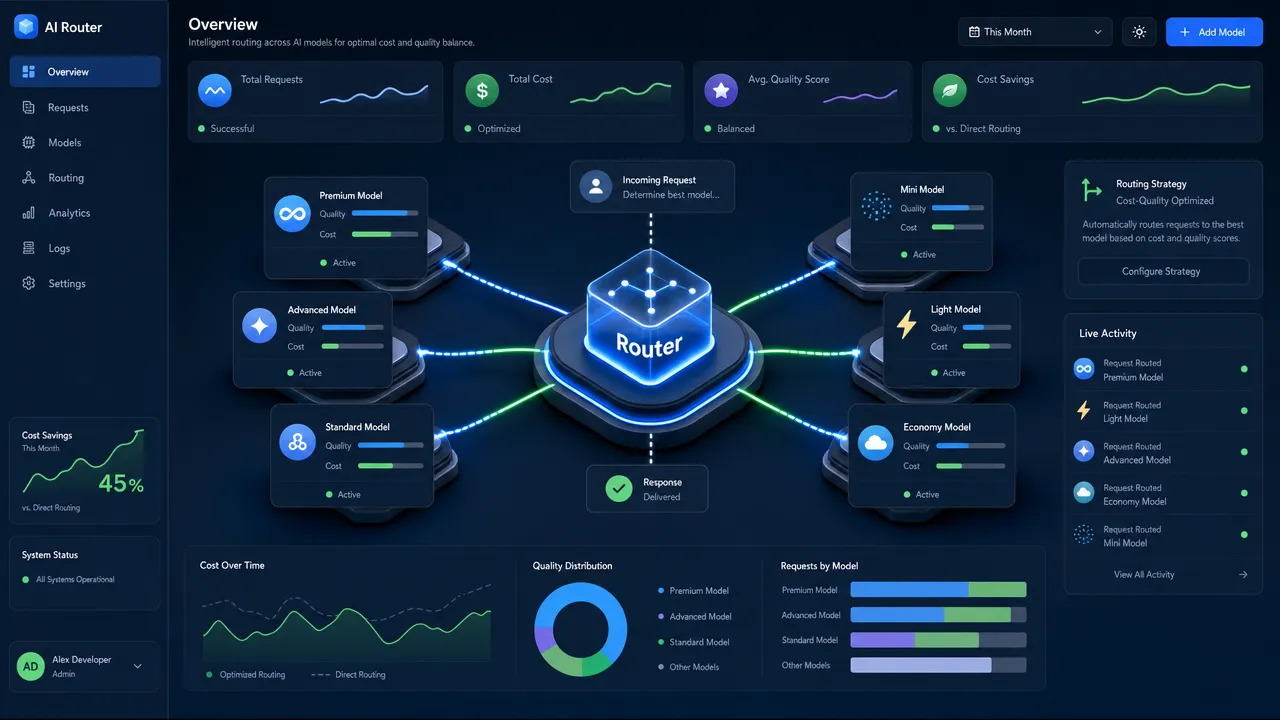
Why AI models save money through task-based routing instead of one cheap default
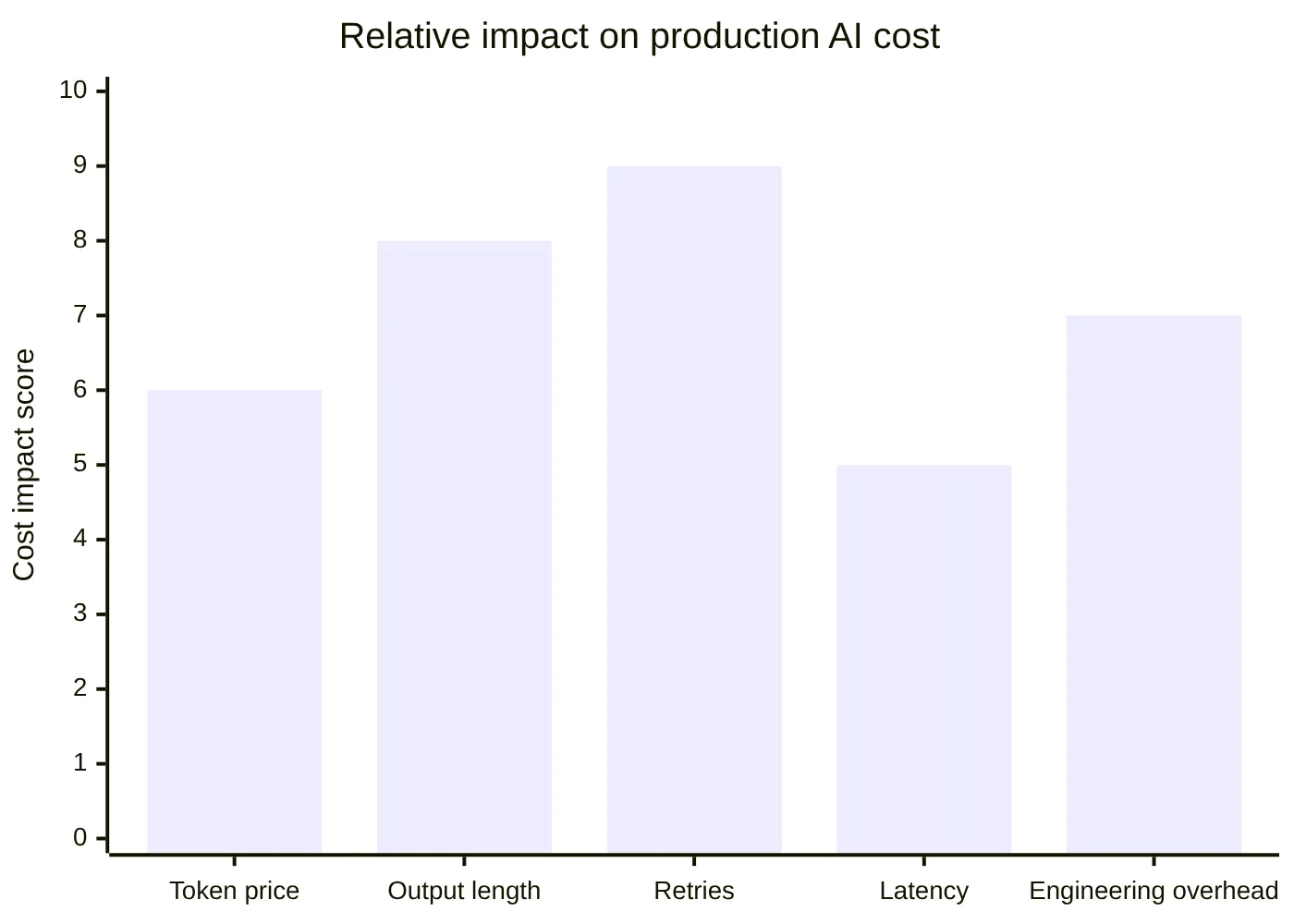
The cheapest model is often not the cheapest product decision. A low input-token price can look attractive until the model produces long outputs, fails JSON formatting, triggers retries, or sends an AI Agent into tool-calling loops. That is why the better metric is cost per successful task.
A successful task includes:
Token cost for input and output.
Retry cost when the first answer fails.
Latency cost when users wait or workflows stall.
Engineering overhead from maintaining provider-specific integrations.
Quality-review cost for outputs that need manual correction.
This matters for developers comparing OpenAI API models, Anthropic Claude model options, DeepSeek AI model choices, Perplexity AI models, AWS Bedrock models, Groq models, or any other public model family. Official pricing pages such as OpenAI API pricing, Anthropic Claude pricing, Google Gemini API pricing, and DeepSeek API pricing are useful starting points, but they do not tell you how many retries your own workload will need.
A practical opinion: developers should stop asking, "Which AI model is cheapest?" and ask, "Which AI model is cheap enough for this task while still passing my quality bar?"
Task type | Cost-saving default | When to escalate |
|---|---|---|
Classification | Use a lower-cost model with short prompts | Escalate if labels affect high-impact workflow decisions |
Data extraction | Use schema validation and short context | Escalate if fields are ambiguous or legally sensitive |
Summarization | Compress input and control output length | Escalate for long-context synthesis or citation-heavy work |
Chatbot response | Use a balanced low-cost model | Escalate for complex support cases or multi-step reasoning |
Coding | Use cheaper models for explanation and rewriting | Escalate for bug fixing, repo-level changes, or security-sensitive code |
AI Agent planning | Route simple steps cheaply | Escalate for planning, tool choice, and final validation |
Want a simple way to start thinking about routing? The GonkaRouter guide on choosing AI models for faster work is a useful companion when you are moving from model comparison to product integration.
How AI models should be benchmarked before production decisions
Leaderboards are useful, but your prompts are more important. LMArena, SWE-bench, Artificial Analysis, model cards, and provider docs can show directional quality, but production quality depends on your exact data, prompt style, latency tolerance, output format, and failure modes.
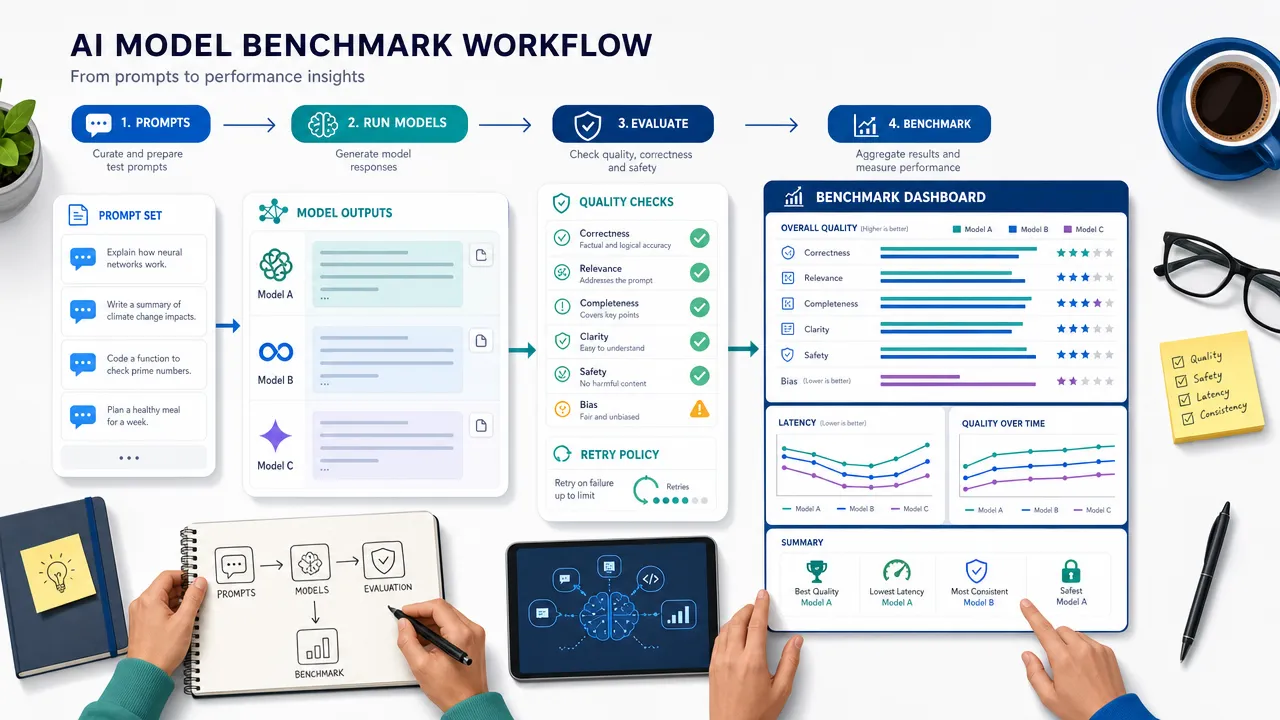
A serious benchmark should include at least 50 to 200 real prompts per workload category. For an Agent API or AI Inference API, include happy paths and messy cases: incomplete user requests, long context, malformed input, conflicting instructions, edge-case tool calls, and required JSON output.
Use this evaluation loop:
Define the task and the expected output.
Set a quality threshold before testing.
Compare candidate AI models on the same prompt set.
Track input tokens, output tokens, latency, validation failures, and retries.
Calculate cost per successful task.
Route the task to the lowest-cost model that passes.
Add fallback logic when quality drops.
For public market context, developers often compare openai api models, o3 OpenAI, Claude 3.7 Sonnet, Claude Code, DeepSeek V3 Base, deepseek-reasoner, Grok-3 model xAI, Qwen Max, Qwen-Max, Perplexity AI models, Gemini model list entries, and Llama technical report details. Those comparisons are useful for understanding the broader market, but they should not replace your internal evals.
Search data also contains misspellings such as cloude 3.7, clause 3.7, claudwe, claude3 5, depseek r1, groc3 ai, grook3 ai, and groq com. Treat them as search-behavior signals, not as terms to force unnaturally into production copy or documentation.
Which AI models deserve premium cost for reasoning and coding
Premium AI models are worth the extra cost when a wrong answer is more expensive than the inference bill. That usually means complex reasoning, code generation, multi-step planning, enterprise QA, data analysis with high accuracy requirements, or Agent workflows where one bad tool call can derail the whole process.
For example, developers search for Claude 3.7, claude 3.7 sonnet and claude code anthropic, o3 OpenAI, DeepSeek R1, deepseek-reasoner, xAI Grok3, grok-3 model xAI, and Qwen-Max because they want to know which model handles harder reasoning or coding tasks best. Developers also look at the OpenAI model documentation, Anthropic Claude Code, Google Gemini model documentation, xAI model documentation, and Meta Llama resources for capability signals.
But here is the mistake: many teams send every request to a premium model because it feels safer. That creates unnecessary spend. Routine extraction, rewriting, intent classification, simple chat, and short summaries rarely need the most advanced reasoning model.
A better pattern is:
Workload | Recommended model strategy |
|---|---|
Simple, high-volume request | Default to the lowest-cost model that passes evals |
Ambiguous user request | Use a balanced model or add clarification logic |
Complex reasoning | Escalate to a stronger reasoning model category |
Coding and debugging | Use stronger coding models for generation and verification |
Agent workflow | Mix low-cost step models with stronger planner or validator models |
Enterprise automation | Prioritize reliability, observability, and fallback behavior |
The line between "good enough" and "not good enough" should be defined by your product, not by model hype. A customer-support bot, code assistant, internal search tool, and automated data pipeline all need different quality bars.
Why AI models need an AI Gateway when teams want lower integration cost
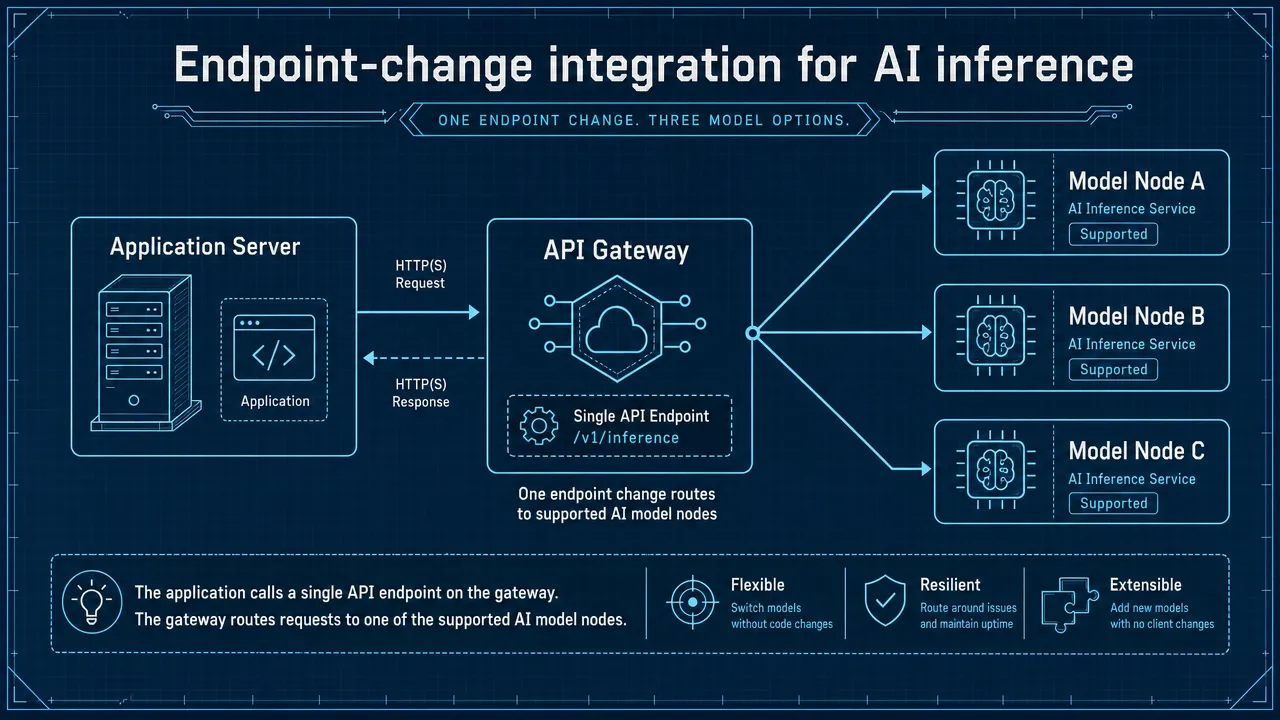
An AI Gateway or AI Model Router reduces the hidden cost of switching models. Without a routing layer, developers often hard-code provider-specific endpoints, authentication, SDK behavior, response formats, retry logic, and observability into the application. That makes every model test slower and every migration riskier.
A Multi Model API is valuable because it lets teams test supported models behind a more consistent interface. An OpenAI Compatible API can reduce migration work for applications already using OpenAI-style request formats. An Anthropic Compatible API can do the same for teams using Anthropic-style formats. Compatibility means API format compatibility, not access to official OpenAI or Anthropic models unless a provider explicitly supports them.
For deeper context on this architecture, see the GonkaRouter article on what an AI Model Router is for developers, the guide to an OpenAI-compatible AI Model Router, and the explanation of using one OpenAI-compatible API endpoint for multiple supported models.
The operational value is straightforward:
One integration path reduces duplicated provider code.
Endpoint-change setup speeds up testing.
Routing logic lets teams match model cost to task complexity.
Fallbacks reduce user-visible failures.
Centralized usage tracking makes cost easier to monitor.
This is especially important for AI Agents. Agents do not make one call; they make chains of calls. A single user request can trigger classification, retrieval, planning, tool selection, execution, validation, summarization, and final response generation. Optimizing only the price of one call misses the real cost of the workflow.
How GonkaRouter fits cost-efficient AI models testing
GonkaRouter fits the cost-quality problem as a focused AI Gateway and AI Model Router for developers who want unified access to its currently supported models only: MiniMax-M2.7, Kimi-K2.6, and GLM-5.2.
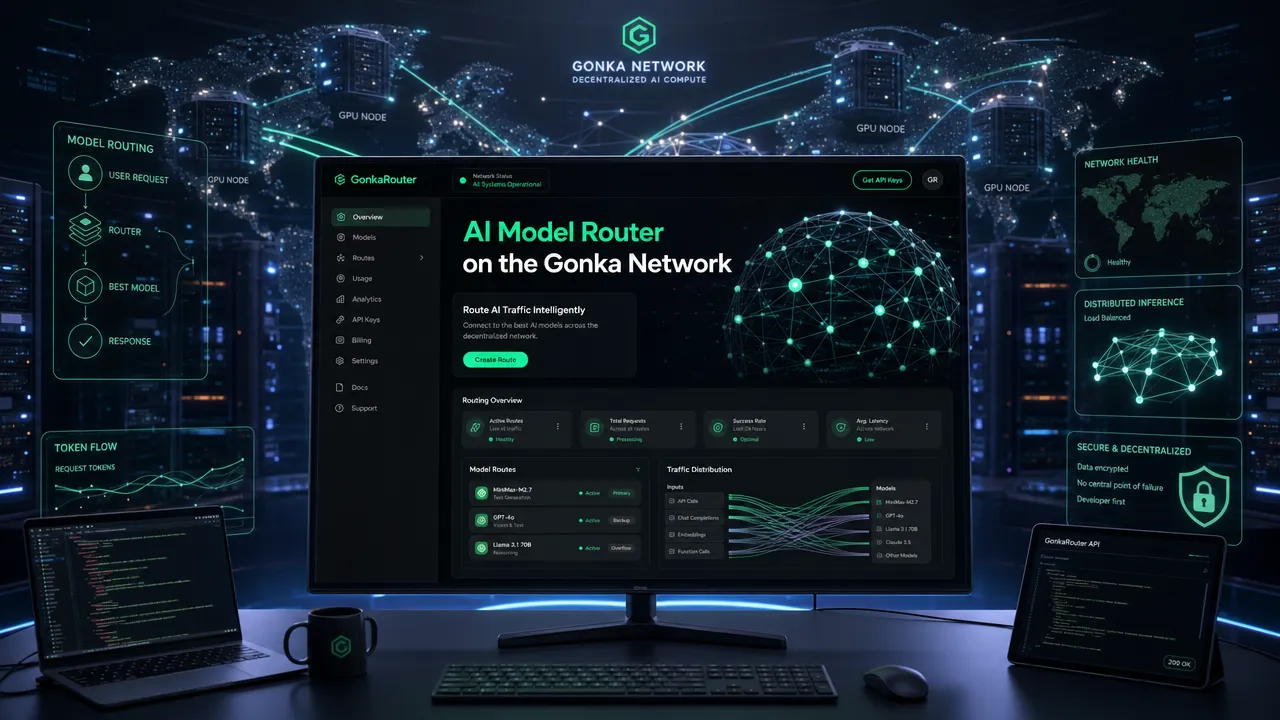
The key point is precision. GonkaRouter should not be treated as a marketplace for every model family, and it should not be described as providing OpenAI, Claude, Gemini, DeepSeek, Grok, Qwen, Llama, Perplexity, AWS Bedrock, or Groq-hosted models. Its current supported model list is:
GonkaRouter supported model | API keyword fit | Practical testing use |
|---|---|---|
MiniMax-M2.7 | MiniMax-M2.7 API, MiniMax API | Chat, content generation, agent steps, workflow testing |
Kimi-K2.6 | Kimi-K2.6 API, Kimi API | Long-form reasoning-style tasks, Q&A, analysis workflows |
GLM-5.2 | GLM-5.2 API, GLM API | General AI application testing, structured workflows, automation |
GonkaRouter's differentiators are practical for cost-sensitive engineering teams:
One API for currently supported models.
OpenAI Compatible API format.
Anthropic Compatible API format.
Fast integration by changing the API endpoint.
Built on the Gonka decentralized AI compute network.
Token pricing as low as $0.0004 / 1M tokens.
Email-based login for lower registration friction.
A one-time 20 USDT trial credit after email login for API testing and product usage.
Useful for AI Agents, chatbots, content generation, code generation, automated workflows, intelligent Q&A, enterprise AI applications, and data analysis.
The strongest GonkaRouter use case is not "use every model." It is "test supported models through one developer-friendly route and select the lowest-cost supported model that passes your quality threshold."
A lean testing workflow looks like this:
Log in with email.
Get an API key.
Change the API endpoint.
Test MiniMax-M2.7, Kimi-K2.6, and GLM-5.2 on the same prompt set.
Measure cost, latency, retries, and output quality.
Choose the default route for each workload.
Add fallback logic where quality risk is high.
That is a better cost-control strategy than choosing a model because it is popular in a list of OpenAI models, a Claude 3.7 Sonnet benchmark thread, a DeepSeek owner search, a Gemini model list article, or a groq com latency discussion.
What AI models strategy I would choose for a cost-sensitive product
I would not pick one model first. I would build a routing policy first.
For a cost-sensitive product or Agent workflow, I would use this decision rule:
Use the lowest-cost AI model that passes the task-specific quality threshold, then escalate only when the task is complex, high-risk, or validation fails.
That approach protects quality without wasting premium inference on routine work. It also keeps the engineering team from repeatedly rewriting integrations as model pricing and capability change.
For teams testing GonkaRouter, the practical next step is simple: use the one-time 20 USDT trial credit for API testing, compare MiniMax-M2.7, Kimi-K2.6, and GLM-5.2 through GonkaRouter's OpenAI- and Anthropic-compatible API formats, and integrate the winning route into an Agent or product workflow.
You can start from the GonkaRouter homepage, review more developer articles in the GonkaRouter blog, and use the internal guides above to move from model comparison to implementation.
The answer to "Which AI model saves money without losing quality?" is the model that passes your evals at the lowest total workflow cost. In real products, that usually means model routing, not model loyalty.